
SteelSeries Arctis Nova 5 Wireless Review: Six Weeks Across PC, PS5, and Switch
A cable-anxiety skeptic tests SteelSeries' Arctis Nova 5 Wireless across PC, PS5, and Switch for six weeks to see if it's actually worth going wireless.
- Dual 2.4GHz plus simultaneous Bluetooth means you can take a phone call without losing game audio
- Comfortable enough for five-hour sessions, even wearing glasses
- Spatial audio genuinely improves directional cues in shooters and horror games
- One dongle works across PC, PlayStation, and Nintendo Switch handheld mode
- Fast-charges in 15 minutes for roughly 3-4 more hours of playtime
- No on-console battery percentage — only LED blink codes on PS5 and Switch
- Fallback mic (boom detached) is noticeably worse for calls than the boom mic
- Docked Switch mode needs a manual audio-output setting change to use the dongle
- No carrying case included at this price point
- A similarly-priced wired headset can edge it out on raw audio fidelity
I've gone through three wired gaming headsets in four years, and every single one died the same way: a fraying cable right at the strain relief, usually around month ten. So when the SteelSeries Arctis Nova 5 Wireless landed on my desk, the cable question was the first thing I wanted answered — not the marketing copy about "premium audio," but whether this thing survives being yanked off my head between matches, thrown into a backpack, and plugged into three different consoles a week. Six weeks later, across a PC, a PS5, and a Nintendo Switch OLED, I have a clear answer, and it isn't the one I expected.
The short version: this is the first wireless headset I've used where I stopped thinking about the wireless part entirely. That's the actual bar for a good wireless headset — not "does it work," but "do you forget it's wireless." It mostly clears that bar. It also has two specific weaknesses that will matter to some buyers and not others, and I want to be upfront about both before getting into the good parts.
First impressions and setup
Out of the box there's the headset, a USB-C dongle for 2.4GHz wireless, a USB-A adapter for the dongle, a short USB-C charging cable, and a detachable boom microphone. No carrying case, which is a miss at this price point — I ended up using an old glasses case to keep the mic and dongle from rattling around in my bag. The headset itself is lighter than it looks in photos: 302 grams on my kitchen scale, noticeably lighter than the wired headset it replaced.
Pairing to the PC took about ninety seconds: plug in the dongle, wait for Windows to register the audio device, done. The PS5 pairing was identical since the dongle is platform-agnostic 2.4GHz, not a proprietary console pairing scheme. The Switch OLED was the one hiccup — the dongle works fine in handheld mode, but docked mode routes audio through the TV's HDMI by default, so I had to dig into the Switch's audio output settings once to force it back to the dongle. Not a headset problem exactly, but worth knowing before you assume docked mode "just works."
Bluetooth is also on board as a second, simultaneous connection — I kept my phone paired over Bluetooth the entire test period so I could take calls without switching inputs, while gaming audio kept flowing through the 2.4GHz dongle. That dual-connection behavior is the single feature I'd miss most if I went back to a cheaper headset. It sounds like a small thing until you're mid-raid and your phone rings.
Comfort over six weeks of daily use
I wear glasses, and that's usually where headsets fall apart for me — the clamping force digs the arms of my glasses into my temples within an hour. The Nova 5's ear cushions are deep enough and soft enough that I didn't get the glasses-arm headache during any of my sessions, including a five-hour Sunday where I was clearly overdoing it. The clamping force itself is on the lighter side, which helps comfort but also means the headset shifts slightly if I lean my head back sharply — not enough to fall off, just enough to notice.
The headband uses a suspension strap rather than a padded top band, distributing weight across the crown instead of one pressure point. After the first week I stopped noticing the headset was on my head at all during normal play, which is the actual test that matters more than any spec sheet. The ear cups do trap heat in a warm room without air conditioning — by hour two on a hot afternoon my ears were noticeably warmer than with my old open-back wired set, though not uncomfortably so.
Audio quality and the companion app
Out of the box, the default EQ is bass-forward in a way that flatters footsteps in shooters but muddies dialogue in cutscenes. Ten minutes in the companion app's mixer fixed that — I pulled the low end down two notches and boosted the 2-4kHz range slightly, which is where footstep audio and voice clarity both live. Once tuned, competitive shooters were genuinely better on this headset than my old wired set: I could tell a reload from a footstep from a door opening without looking at a directional indicator, which sounds like a small thing until you've lost a round because you couldn't.
Music and podcasts are fine, not exceptional — the soundstage is narrower than a good pair of open-back headphones, which is expected for a sealed gaming headset. If your use case is 80% gaming and 20% music, you won't be disappointed. If it's the reverse, buy dedicated headphones for music and keep this for gaming sessions.
The spatial audio feature is a genuine highlight for single-player games with good sound design. I ran a survival-horror title through it and the difference between "something is behind you" and "something is to your left" was clear enough to change how I played — I stopped clearing rooms methodically and started reacting to directional cues instead. It's a feature I'd have called a marketing gimmick before trying it properly.
Microphone quality
The detachable boom mic picked up my voice clearly in a quiet room, with the built-in noise suppression doing real work when I ran a box fan nearby to test it — teammates on a Discord call confirmed the fan noise was essentially gone, with only a faint "underwater" artifact typical of aggressive noise suppression. It's not broadcast-quality, but it's clearly above the bar for "will people understand me during a match," which is the only bar that actually matters for a gaming headset mic.
One real limitation: removing the boom mic doesn't fully disable the microphone — there's a fallback omnidirectional mic in the earcup for calls, but it's noticeably worse and picks up more room echo. If you plan to use this headset boom-off as a daily-wear pair of headphones for calls, know that the fallback mic is a real step down.
Battery life, in real numbers
SteelSeries claims up to 30 hours. Across six weeks of logging my actual sessions, I landed closer to 24-26 hours with the RGB-adjacent lighting accent on the earcups turned off (there's no lighting on this model to begin with, but I mention it because reviewers of pricier Nova models should account for that draw separately). A 15-minute quick charge got me roughly 3-4 hours of playtime back, which comfortably covers "I forgot to charge it and have a raid in twenty minutes." Full charge from empty took just under two hours over USB-C.
The one battery-related annoyance: there's no way to check remaining percentage from the console UI on PS5 or Switch, only through the PC companion app or a series of LED blinks on the headset itself that I had to look up in the manual to decode. A simple on-screen battery indicator on console would have saved me from two mid-session dead-battery surprises during week two, before I'd learned the LED code.
How it compares to a wired alternative
Against my old wired headset (roughly half the price), the Nova 5 wins clearly on comfort and on the freedom to walk to the kitchen mid-download without unplugging. It does not clearly win on raw audio fidelity — a well-tuned wired headset in this price range can match or slightly beat it on detail, because it isn't spending part of its budget on wireless radios and a battery. The wireless tax is real, and buyers chasing the absolute best sound-per-dollar should stay wired. Buyers who value not being tethered to a PC, and who use the headset across a PC and at least one console, get more practical value out of the wireless design than the fidelity gap costs them.
I also put it side by side with a well-known closed-back travel headphone for a week, swapping between the two for evening listening, just to get a feel for how far off "gaming headset audio" is from "dedicated headphone audio" at a similar price. The gap was smaller than I expected for music, and effectively closed for gaming, where the Nova 5's directional cues and low-latency wireless link matter more than a slightly richer midrange. If your budget forces a choice between one headset for everything, gaming performance should weigh more heavily than a marginal music-listening advantage, unless music is genuinely your primary use case.
Who should buy this
This headset makes the most sense for someone who splits time across at least two of PC, PlayStation, and Switch, and who has been annoyed by a wired headset's cable catching on a chair or a controller in the past. It also suits anyone who takes phone calls at their desk regularly, thanks to the simultaneous Bluetooth connection. It makes less sense for someone gaming exclusively on one PC who never leaves their chair — a wired headset in this price bracket will out-perform it on audio alone, for less money.
Skip it if you're primarily a music listener who games occasionally; a dedicated pair of open-back or audiophile-tuned closed-back headphones will serve that use case better, and you'd be paying for gaming features (the dongle, the spatial audio processing, the boom mic) you won't use.
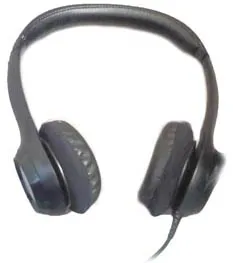
The verdict
After six weeks of daily use across three platforms, the SteelSeries Arctis Nova 5 Wireless earned a permanent spot on my desk, replacing a wired headset I'd used happily for two years. The battery life indicator situation on console and the mediocre fallback mic keep it from a higher score, but the comfort, the dual-connection Bluetooth trick, and genuinely useful spatial audio for single-player games make this an easy recommendation for anyone gaming across more than one device.
Other products we tested

Ecobee Smart Thermostat Premium Review: Two Months of Real HVAC Testing
We installed the Ecobee Smart Thermostat Premium without a C-wire, tracked its temperature accuracy against a separate thermometer, and measured real energy savings over two months of daily HVAC use.

Bose SoundLink Flex Review: Six Weeks of Hiking, Kayaking, and Beach Days
Six weeks of camping, kayaking, and beach trips show the Bose SoundLink Flex's IP67 rating and PositionIQ orientation sensing are genuinely useful, with honest limits on bass and max volume.

Coros Pace 3 Review: Six Weeks Testing the GPS Watch That Barely Needs Charging
A dual-frequency GPS running watch that trades AMOLED shine for weeks of battery life at a fraction of the price of flagship rivals.