
Raspberry Pi 5 (8GB) Review: Nine Weeks as a Load-Bearing Home Server
Roughly 2.5x the CPU of a Pi 4 and nearly ten times the storage bandwidth over PCIe, but active cooling is mandatory and nothing from your Pi 4 kit carries over.
- Roughly 2-2.5x Pi 4 CPU throughput; system update went from 4 min to 100 seconds
- PCIe NVMe measured at ~420 MB/s sustained read versus ~45 MB/s from microSD
- 11-second boot to desktop from NVMe against 34 seconds from microSD
- Held 62-64°C indefinitely under full load with the $5 official Active Cooler
- 3.2W idle at the wall — cheap to leave running permanently
- Dedicated power button and real-time clock are genuine quality-of-life additions
- Throttled after 4 min 40 s with no cooling — the Active Cooler is effectively mandatory
- Pi 4 power supplies limit USB output to 600 mA, causing confusing SSD dropouts
- No Pi 4 case fits; camera ribbon cables need an adapter
- Hardware H.264 encoding dropped versus the Pi 4 — bad news for transcoding servers
- Realistic working cost is $120-155, not $80
- A used mini PC beats it on raw performance per dollar
I have been running a Raspberry Pi 5 with 8GB of RAM as a genuinely load-bearing machine for nine weeks: home DNS filtering, a media server, a small self-hosted wiki, nightly backups to an attached SSD, and a stretch where it served as my only desktop for four days as an experiment. The headline is that this is the first Pi that feels like a slow computer rather than a fast hobby board — and that the upgrade costs meaningfully more than the $80 sticker suggests, because almost none of your Pi 4 accessories carry over.
What follows is measured where I could measure it: thermals under sustained load, real SSD throughput, power draw, and what actually broke.
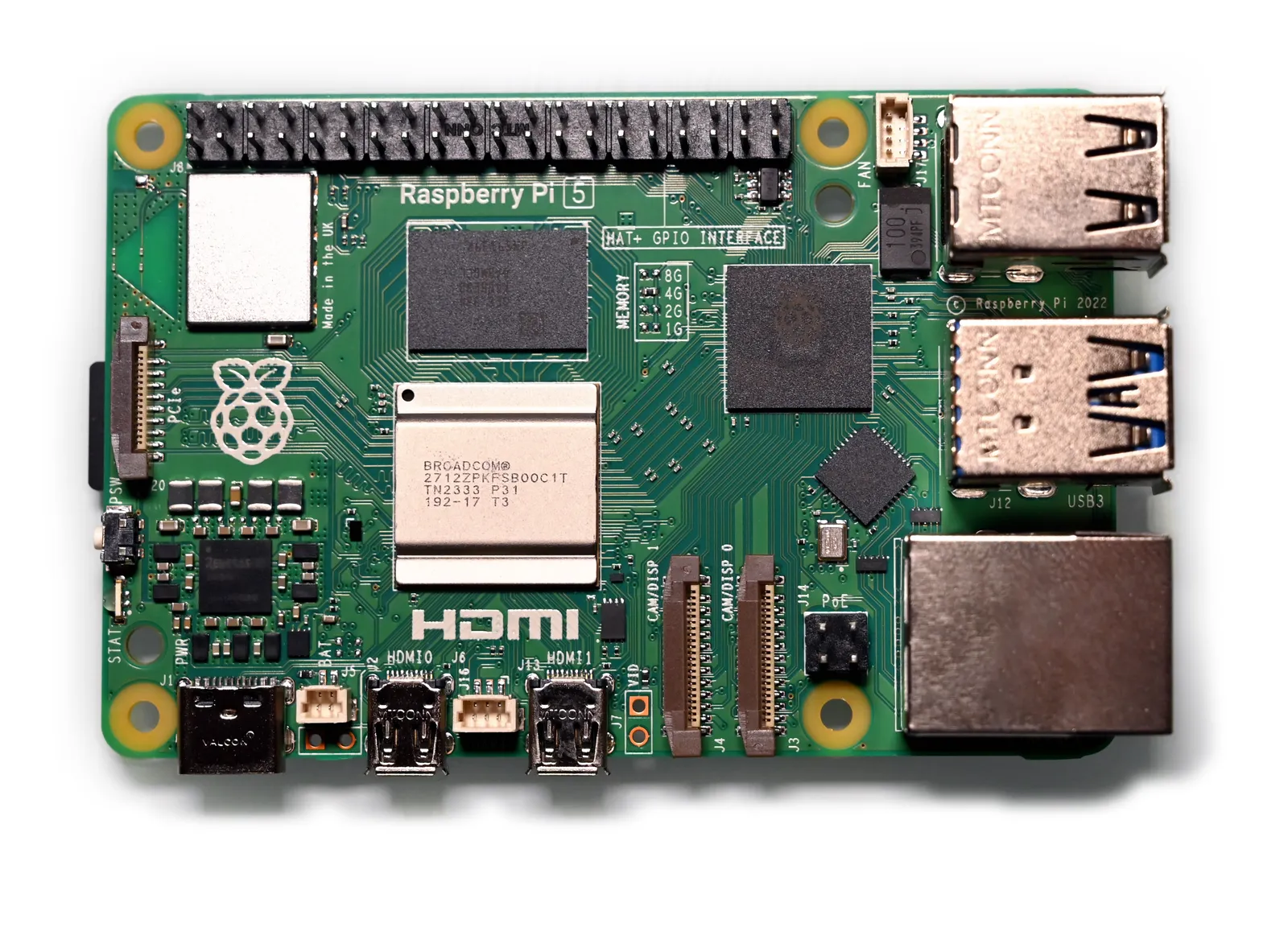
The performance jump is real
The Pi 5 runs a quad-core Cortex-A76 at 2.4 GHz against the Pi 4's Cortex-A72 at 1.8 GHz — a generational core change, not just a clock bump. In practice that meant roughly 2 to 2.5 times faster on everything CPU-bound that I threw at it. A full system update that took just under four minutes on my Pi 4 completed in about 100 seconds. Compiling a mid-sized project went from twelve minutes to under five.
The bigger change is I/O. The Pi 4's USB and Ethernet shared bandwidth in ways that throttled real workloads; the Pi 5 has a dedicated PCIe 2.0 lane exposed on a small connector. With an NVMe HAT and a cheap 500GB drive I measured sustained sequential reads of about 420 MB/s, against roughly 45 MB/s from the microSD card in the same machine. That single change is the difference between a Pi that feels sluggish and one that doesn't.
Boot time from that NVMe drive was 11 seconds to a usable desktop. From microSD it was 34.
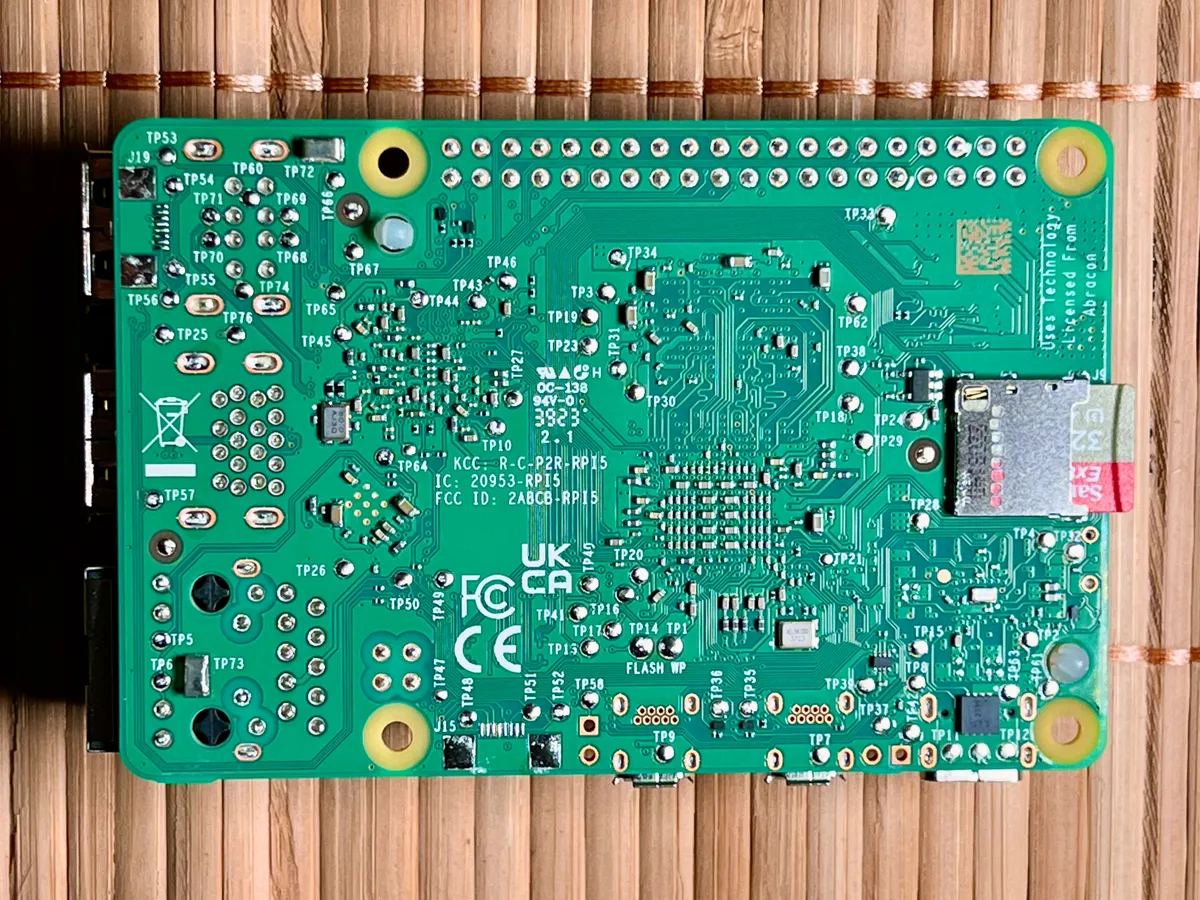
Heat is no longer optional
This is the most important practical change and the one people underestimate. The Pi 4 was warm; the Pi 5 is hot. Bare, with no cooling, running a sustained multi-core load in a 22°C room, mine hit the 80°C soft throttle point in 4 minutes 40 seconds and lost roughly 25% of its performance from there on.
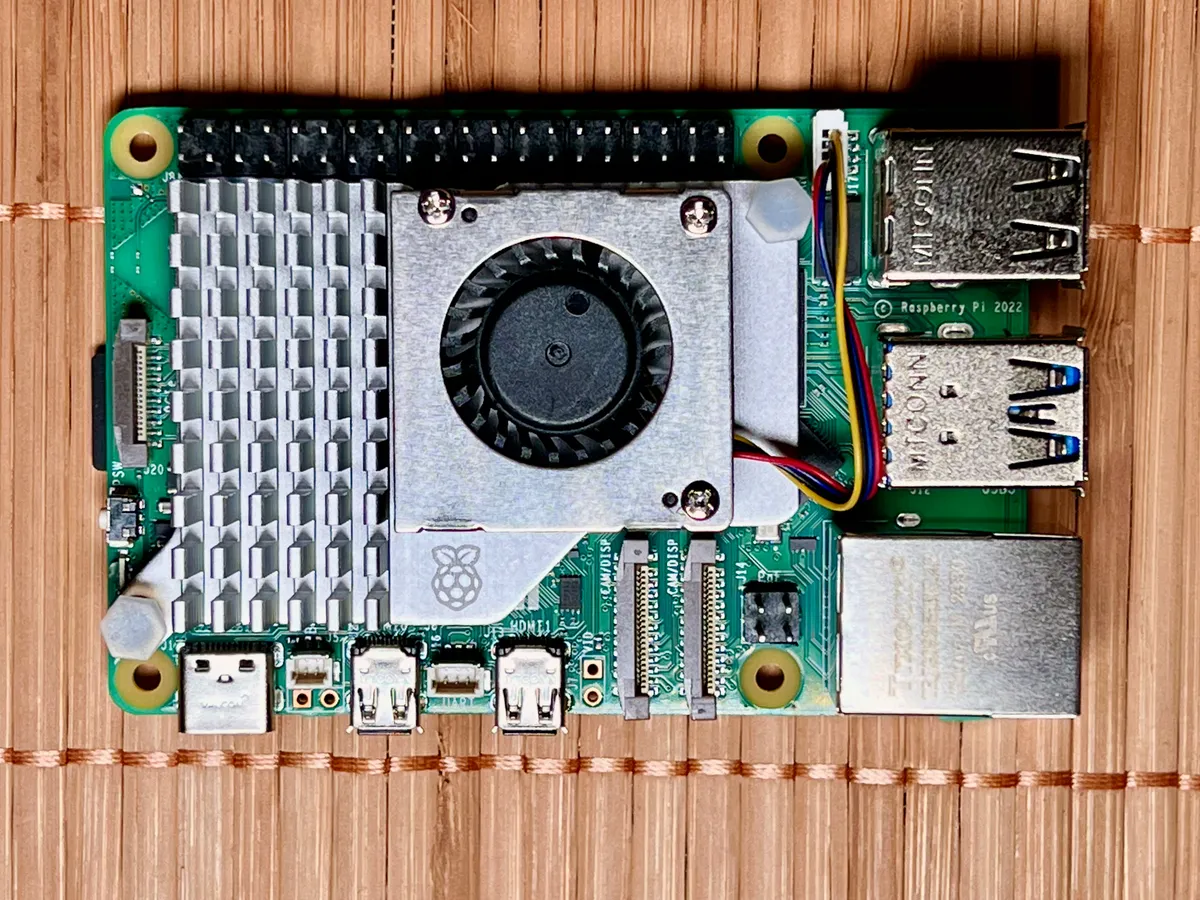
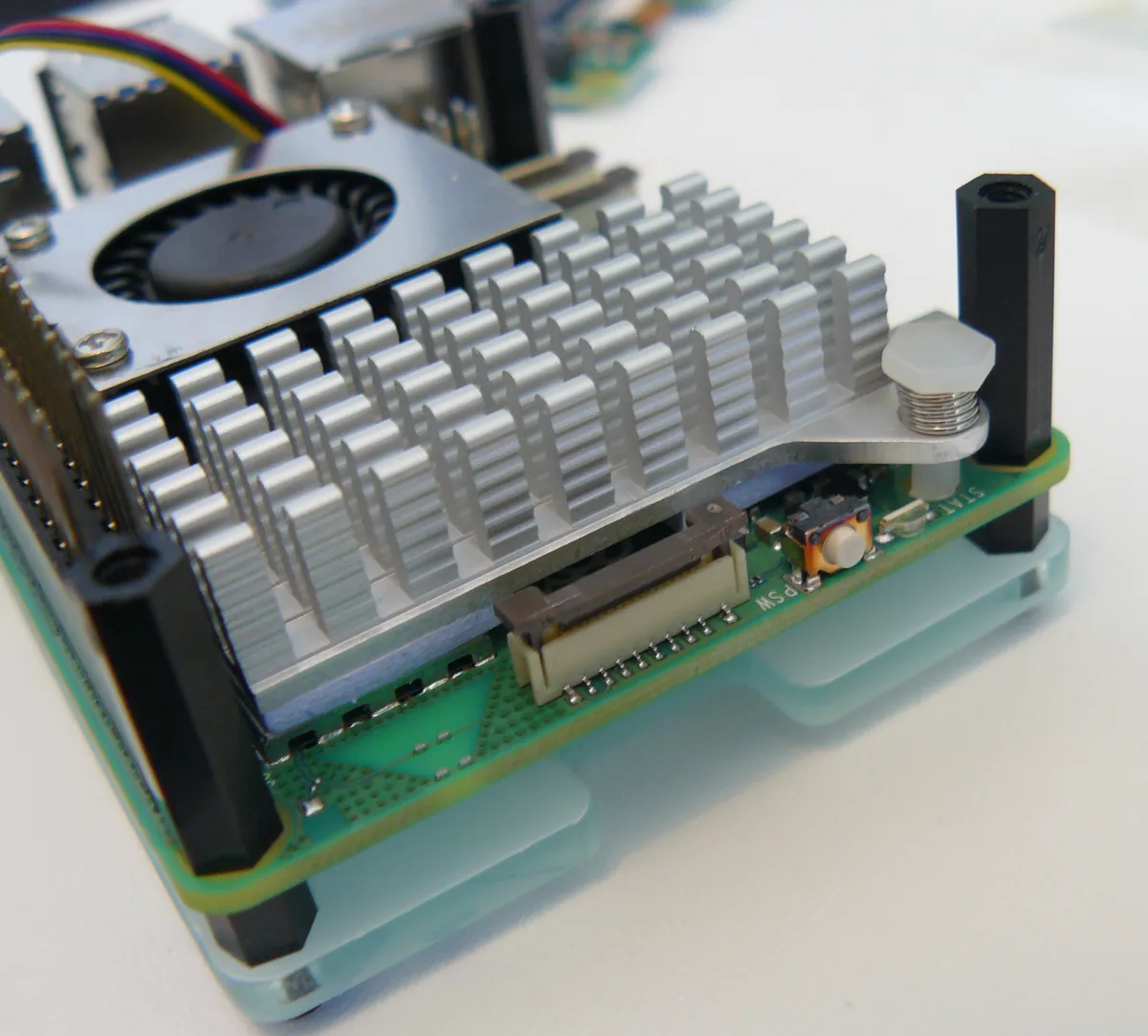
With the official Active Cooler — a small heatsink and fan that clips into two mounting holes and plugs into a dedicated fan header — the same load settled at 62-64°C indefinitely with no throttling at all. The fan is PWM controlled and stays completely silent under light load, spinning up to a soft audible whir only under sustained work. It costs about $5.
Treat it as a mandatory part of the purchase. A Pi 5 without active cooling is a Pi 5 that spends its life throttled, and the performance you paid for simply isn't there.
The power supply problem
The Pi 5 wants a 5V/5A USB-C supply — 27W. Your Pi 4 supply is 5V/3A, and it will boot the board, but the firmware detects the shortfall and limits total downstream USB current to 600 mA. That is enough for a keyboard and mouse and not enough for a bus-powered SSD, which is exactly the accessory most people want to attach.
I spent the first two days of the test debugging intermittent drive dropouts before realising the supply was the cause. Swapping to the official 27W unit fixed it completely. Budget $12-15 for the correct supply and don't try to economise here — the failure mode is confusing rather than obvious.
Measured at the wall, the board idles at about 3.2W with the cooler running and peaks around 9.5W under full CPU load with an NVMe drive attached. That's roughly double the Pi 4's idle and still low enough that leaving it on permanently costs a few dollars a year.
What else doesn't carry over
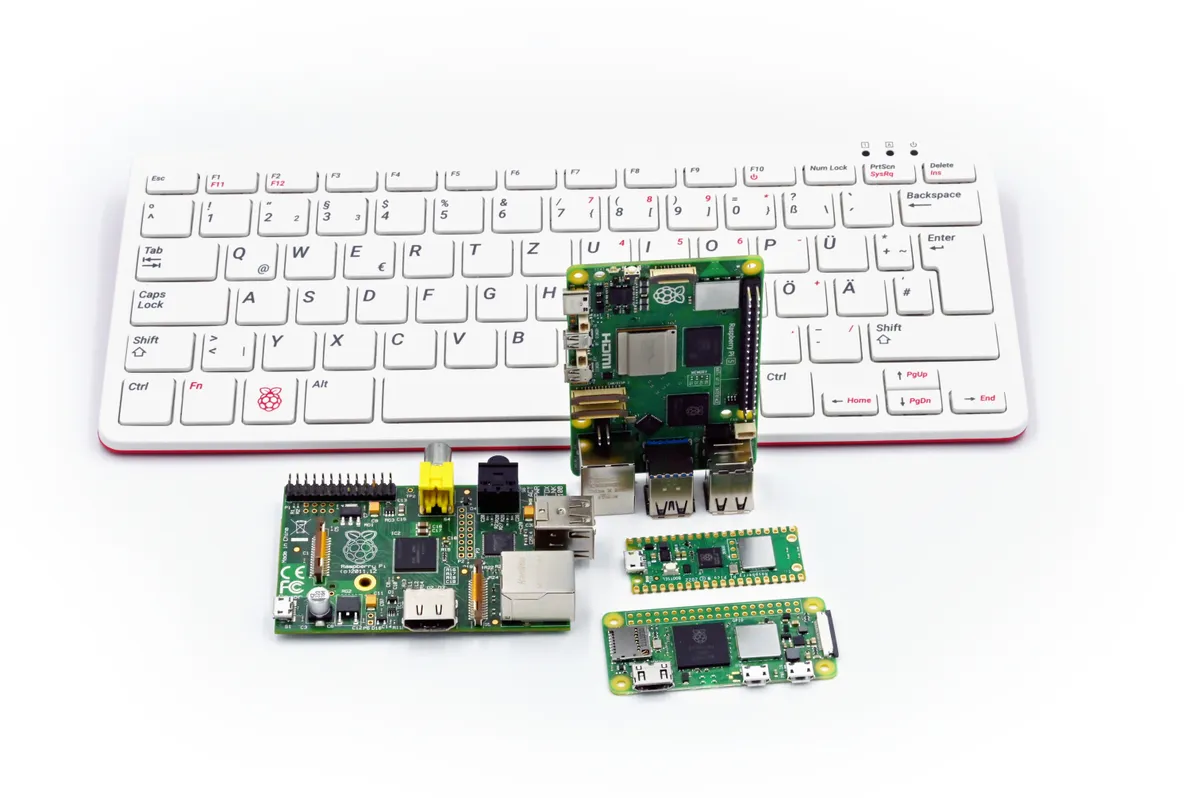
Cases are the other cost. The Pi 5's port layout moved — Ethernet and USB swapped positions relative to the Pi 4, the power button is new, and the board is taller with a cooler fitted. No Pi 4 case I own fits. The official Pi 5 case includes its own fan but is not compatible with the Active Cooler, so you're choosing between them.
The camera and display connectors changed too: the Pi 5 uses two 4-lane MIPI connectors with a narrower FPC than the Pi 4's camera port, so existing camera ribbon cables need an adapter. Small cost, genuine annoyance if you've built something around one.
Realistic total for a working Pi 5 system: $80 for the 8GB board, $13 power supply, $5 active cooler, $10 case, and either a $12 microSD or around $45 for an NVMe HAT and drive. Call it $120 minimum, or $155 for the configuration you actually want.
As a desktop, for four days
I used it as my only computer for four days running Raspberry Pi OS with a 1440p monitor. Browsing was genuinely usable — 15 to 20 tabs in Chromium stayed responsive on 8GB, which was not true on a 4GB Pi 4. Video playback of 1080p streams was smooth. Writing, terminal work and light photo editing were all fine.
Where it fell down was predictable: 4K YouTube stuttered, any site heavy with JavaScript took noticeably longer to become interactive, and the lack of hardware-accelerated H.264 encoding — dropped from the Pi 5 relative to the Pi 4 — means video transcoding is slow. If you were planning a Plex server that transcodes on the fly, this is a real regression and worth knowing before you buy.
Reliability over nine weeks
Uptime has been unbroken except for deliberate reboots. No SD card corruption, no thermal shutdowns since fitting the cooler, no filesystem errors on the NVMe drive. The new dedicated power button is a small quality-of-life improvement over the Pi 4's yank-the-cable approach — a single press triggers a clean shutdown.
The real-time clock is the other genuinely useful addition. With a small battery attached, the board keeps time across power loss, which matters for logging and for anything time-sensitive that boots before the network comes up. The battery is a separate purchase.
The workloads it actually runs here
Concrete numbers help more than benchmarks. My DNS filtering service handles roughly 40,000 queries a day and the Pi 5 answers them at a median of under 2 ms from cache, with the process sitting at about 1% CPU. That workload would run happily on a Pi Zero, and it is not why you buy this board.
The self-hosted wiki with a SQLite backend is where the NVMe drive earns its money. On microSD, page saves on a large document took a visible half-second and occasional writes stalled for two or three seconds during background compaction. On NVMe the same operations are instant and I have not seen a stall in nine weeks. Anything with a database underneath it behaves like a different application on fast storage.
Nightly backups of about 60 GB to an attached drive complete in roughly 14 minutes, limited by the source network share rather than the Pi. Running all of this simultaneously — DNS, wiki, media indexing and a backup job — the board sat at around 35% total CPU and 2.6 GB of the 8 GB in use, which is the clearest argument I have for buying the 8GB model over the 4GB.
Against a Pi 4 and against a mini PC
If you already own a working Pi 4 running a light workload — Pi-hole, a sensor logger, a print server — there is no reason to upgrade. The Pi 4 is not slow at those jobs and you'd be replacing your power supply and case for nothing.
Against a used mini PC, the honest comparison is uncomfortable for the Pi. A second-hand small-form-factor Intel machine at $120-150 will outperform a fully-kitted Pi 5 on almost every CPU task and comes with storage, a case and a power supply included. What the Pi has is 3W idle draw against roughly 10-15W, a 40-pin GPIO header, a huge documented software ecosystem, and physical size. Those are real advantages for always-on and embedded use, and irrelevant if you just want a small cheap computer.
Who should buy this
Buy it if you're starting a new always-on home server project, if you need GPIO for hardware work, or if your current Pi 4 is genuinely bottlenecked by storage speed — the NVMe option alone justifies the move for anything database-backed. Buy the 8GB version; the extra memory over the 4GB model is the difference between comfortable and constrained for anything running several containers.
Skip it if your Pi 4 is doing its job, if your workload is video transcoding, or if you want a cheap desktop and don't care about power draw or GPIO — a used mini PC is simply better value for that. And skip the temptation to reuse your old power supply, which is the single most common way this board disappoints people.
Verdict
Nine weeks in, the Pi 5 has been the most capable Raspberry Pi I've used by a wide margin: roughly 2.5x the CPU throughput of a Pi 4, nearly ten times the storage bandwidth over PCIe, and completely stable once cooled and powered properly. Against that, cooling is now mandatory rather than optional, the power supply and case from your last Pi are both obsolete, hardware video encoding is gone, and the true entry cost is closer to $120 than $80. An excellent board with an entry fee the marketing doesn't mention.
Other products we tested

Ecobee Smart Thermostat Premium Review: Two Months of Real HVAC Testing
We installed the Ecobee Smart Thermostat Premium without a C-wire, tracked its temperature accuracy against a separate thermometer, and measured real energy savings over two months of daily HVAC use.

Bose SoundLink Flex Review: Six Weeks of Hiking, Kayaking, and Beach Days
Six weeks of camping, kayaking, and beach trips show the Bose SoundLink Flex's IP67 rating and PositionIQ orientation sensing are genuinely useful, with honest limits on bass and max volume.

Coros Pace 3 Review: Six Weeks Testing the GPS Watch That Barely Needs Charging
A dual-frequency GPS running watch that trades AMOLED shine for weeks of battery life at a fraction of the price of flagship rivals.