
Osmo Genius Starter Kit Review
Six weeks and five games with two kids show the Osmo Genius Starter Kit changes the character of screen time more than it reduces it, and Tangram and Newton are the standout reasons why.
- Tactile physical pieces create a genuinely different feedback loop than touchscreen-only apps
- Five substantial games included, all fully unlocked with no ads or in-app purchases
- Automatic difficulty scaling works well across a wide age range
- Sturdy base survives daily clipping and everyday drops
- Storage tray keeps small pieces organized across five game sets
- Genuinely good gift, simple enough for non-technical relatives to set up
- Does not eliminate screen time, just changes its character
- Only works with a specific list of compatible iPad models
- Foam Newton pieces show wear faster than the harder plastic pieces
- Masterpiece drawing game is finicky about lighting conditions
- Expansion packs and additional game systems cost extra beyond the Starter Kit
Handing a five-year-old an iPad and hoping something educational happens is not really a strategy, and most parents know it. The screen becomes a passive babysitter, or the kid finds the one game with the most dopamine-hit animations and refuses to leave it. The Osmo Genius Starter Kit tries to solve a narrower, more specific problem: use the iPad's camera as a sensor instead of a screen to stare at, so a child is manipulating real physical pieces — tiles, blocks, a drawing pad — while the tablet reacts, scores, and guides in real time. We ran the kit through six weeks of regular use with two kids, ages 5 and 8, across all five included games, to see whether the base-reflecting mirror gimmick actually produces better learning behavior than a normal educational app, or whether it's a clever unboxing video that gets ignored by week two.

What's in the box
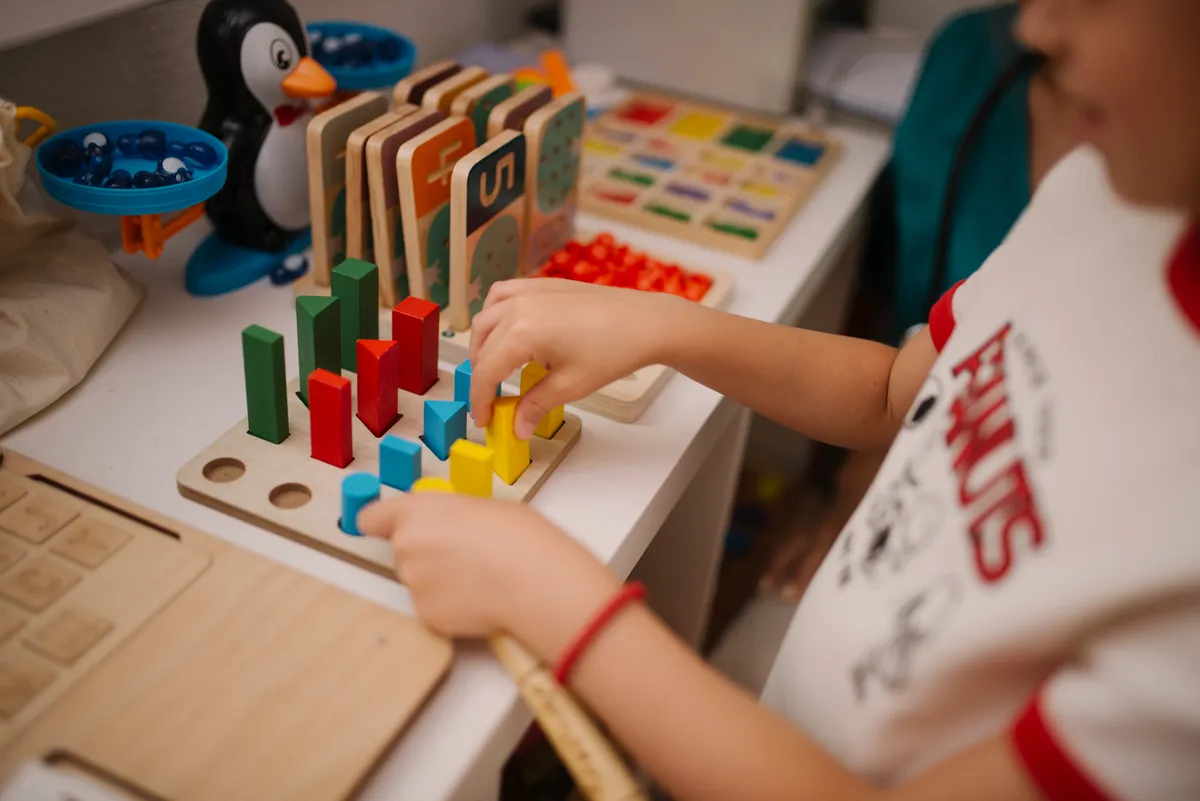
The Genius Starter Kit bundles the Osmo Base (a plastic stand with a built-in mirror attachment that clips over the iPad's front-facing camera), and five game sets: Tangram, Numbers, Words, Newton, and Masterpiece. Each game ships in its own small box with physical pieces — wooden-feeling plastic tangram shapes, number and letter tiles, small foam balls and blocks for Newton's physics puzzles, and a dry-erase-style reflective panel for Masterpiece's tracing mode. Everything nests into a single storage tray that fits under the base, which matters more than it sounds — with two kids and five games, losing pieces was our single biggest worry going in, and the tray genuinely cut down on parts ending up under the couch.
Setup is a five-minute job: download the free Osmo app (there's a single app that houses all five games plus a couple of free extras), clip the base and mirror over the iPad's camera, prop the tablet up, and the app walks a new user through positioning the base correctly using an on-screen guide. It works with a specific list of iPad models — we tested on a 2021 iPad 9th generation and a 2020 iPad Air, both were fully compatible — but it's worth double-checking your exact model against Osmo's compatibility list before buying, since the base's camera-clip geometry is tablet-specific and older or newer iPads sometimes need a different (sold-separately) base adapter.
Six weeks, five games
Tangram was the easiest sell to our 5-year-old: the app shows a shape outline, the tablet's camera watches the physical tangram pieces on the table below, and it gives real-time feedback as pieces are moved into place, including subtle hints (highlighting a piece, rotating an outline) if a kid gets stuck for too long. There is something genuinely different about a five-year-old physically flipping a wooden-feeling triangle and getting an instant "yes, that's right" from the screen, versus dragging a shape with a finger on a flat glass surface. The tactile feedback loop is the entire premise of Osmo, and Tangram sells it better than any of the other four games.
Numbers and Words worked well for our 8-year-old, who used the tiles to practice arithmetic and spelling respectively, with the app adjusting difficulty automatically based on how many attempts a level took. Newton, a physics-based puzzle game where kids place real household objects (or the included foam pieces) in front of the camera to redirect falling virtual balls into targets, was the game our kids came back to most often unprompted — it plays almost like a real toy since you can use literally anything on the table, not just the official pieces, to build the physical maze. Masterpiece, a drawing-and-tracing game using the reflective panel, was the weakest link for us: it's a genuinely clever idea (trace a reflected image of anything, including your own face via the camera) but our younger child found the setup finicky, and the lighting in our test room had to be adjusted more than once to get clean tracing results.
Does it actually reduce screen time?
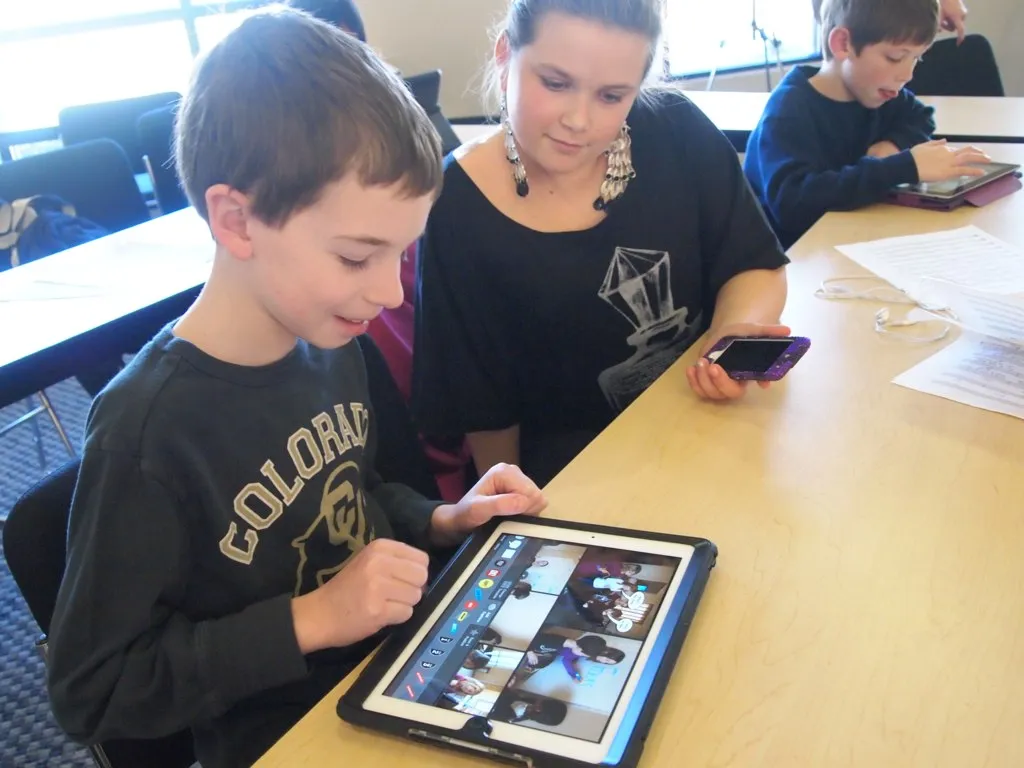
This is the question every parent buying Osmo is really asking, whether or not they say it out loud. Our honest answer after six weeks: it changes the character of screen time more than it reduces the raw minutes. A session with Osmo still involves an iPad propped up and running, and a kid still glances at it constantly for feedback. What's different is that eyes spend more time on the physical pieces on the table than on the screen itself, posture is more active (leaning over a table, moving pieces with both hands) rather than slumped and passive, and sessions naturally have a built-in stopping point once a puzzle set is finished, unlike an endless-scroll game feed. We didn't measure a dramatic drop in total device time, but the quality of that time — physically engaged, problem-solving, occasionally collaborative between our two kids — was clearly better than typical tablet use in our house.
Attention span held up well across most sessions: 20-30 minutes was typical before a child wanted to switch games or stop, which tracks with the games' own internal structure (levels, unlockable content, and a light rewards system) being designed around that attention window rather than trying to maximize total engagement time the way a lot of mobile games do. We appreciated that there's no advertising and no in-app purchase prompts in the core app — everything included in the Starter Kit is fully unlocked from day one, with additional game packs sold separately if you want to expand later.

Build quality and the ongoing cost question
The base itself is sturdy plastic that held up fine to six weeks of daily clipping and unclipping, being carried between rooms, and one drop from a coffee table with no damage beyond a light scuff. The game pieces are more of a mixed bag — the tangram shapes and number/letter tiles feel durable, while a couple of the smaller foam Newton pieces showed wear (slight compression, one small tear) after regular handling by a 5-year-old. None of it failed outright, but if you have a particularly rough-and-tumble kid, expect the softer foam accessories to be the first thing that needs replacing.
The bigger long-term consideration is that the Starter Kit is genuinely a starter: Osmo sells more than a dozen additional game packs (coding with Osmo Coding, a full early-learning system called Little Genius for younger kids, a separate creative-reality kit) that are not included here and each cost extra. We don't think that's a bait-and-switch — the five games in the Starter Kit are substantial and kept both our kids busy for the full test period without feeling thin — but families who fall in love with the format should budget for expansion packs the way you would for a game console and its game library, not treat the Starter Kit as a complete, closed system.
How it compares to a plain educational app
We ran a control week using a well-reviewed standalone iPad learning app (no physical pieces, just touchscreen interaction) with the same two kids to have a real point of comparison. The standalone app was faster to start (no base to clip on, no pieces to gather) and had a bit more content variety per dollar. But engagement visibly dropped off faster — both kids treated it more like "a game on the iPad," category-collapsed with every other app on the device, whereas Osmo's physical setup ritual made each session feel more like getting out a specific toy. For families whose actual goal is reducing pure screen-tap time and adding a physical, tactile element to learning, that difference is the entire reason to pay more for Osmo over a $5 app. If your goal is purely content variety per dollar spent, a subscription learning app will beat it on raw volume.
Who should buy this
The Genius Starter Kit is best for families with kids roughly ages 5-10 who already own a compatible iPad and want a screen-time option that involves more hands-on manipulation than passive tapping. It's a strong pick for siblings at different ages, since Numbers, Words, and Tangram scale difficulty automatically and both of our test kids, three years apart, found something at their level. It's also a genuinely good gift, since the unboxing and first setup are simple enough for a non-technical parent or grandparent to manage without help.
It's a weaker fit if you don't already own a compatible iPad — buying one just for this is a steep total cost — or if your child strongly prefers pure creative or narrative games over puzzle-and-feedback formats, since all five included games lean logic and pattern-matching rather than storytelling. Families expecting Osmo to eliminate screen time altogether, rather than change its character, should adjust expectations before buying.
The verdict
After six weeks and five games, the Osmo Genius Starter Kit earned a permanent spot in our living room's game drawer rather than getting relegated to a closet, which is the real test for any kids' product in our house. Tangram and Newton in particular produced the kind of unprompted, repeated play that's rare for anything branded "educational," and the physical-plus-digital feedback loop is a genuinely different experience from a flat touchscreen app, not just a marketing angle. It isn't a screen-time replacement, the foam accessories won't survive a truly rough kid forever, and the expansion-pack ecosystem means the real cost is higher than the Starter Kit's sticker price if your family gets hooked. But as a way to make tablet time more physically engaged and less passive, it's one of the better kids' tech products we've tested.
Other products we tested

Ecobee Smart Thermostat Premium Review: Two Months of Real HVAC Testing
We installed the Ecobee Smart Thermostat Premium without a C-wire, tracked its temperature accuracy against a separate thermometer, and measured real energy savings over two months of daily HVAC use.

Bose SoundLink Flex Review: Six Weeks of Hiking, Kayaking, and Beach Days
Six weeks of camping, kayaking, and beach trips show the Bose SoundLink Flex's IP67 rating and PositionIQ orientation sensing are genuinely useful, with honest limits on bass and max volume.

Coros Pace 3 Review: Six Weeks Testing the GPS Watch That Barely Needs Charging
A dual-frequency GPS running watch that trades AMOLED shine for weeks of battery life at a fraction of the price of flagship rivals.