
Ledger Nano X Review: Five Weeks as a Daily Crypto Wallet
Five weeks of daily use with the Ledger Nano X, including the seed phrase backup process and real Bluetooth pairing quirks, show a genuinely more secure wallet that falls short of seamless.
- Certified secure element keeps private keys fully isolated from any connected device
- On-device transaction confirmation blocks the malicious-approval mistakes software wallets make easy
- Bluetooth plus battery genuinely enables full phone-only wallet management
- Broad coin and token support (5,500+) via Ledger Live and compatible third-party wallets
- Solid, durable build quality with a firm, deliberate button feel
- Battery life matched Ledger's stated figures under real light-to-moderate use
- Bluetooth connection dropped mid-session roughly once a week, forcing a re-pair and re-confirmation
- Limited simultaneous app storage forces regular uninstall/reinstall housekeeping
- Costs about $80 more than the Nano S Plus for a phone-convenience benefit not everyone needs
- Ledger Live's swap/buy features and multi-account syncing still have rough, occasionally confusing edges
- No precise battery percentage readout, just a rough icon
- Stock cardboard seed phrase backup sheet is flimsy for something meant to last a decade
Cold storage is the single piece of advice every experienced crypto holder repeats, and the Ledger Nano X is the device most people land on when they finally act on it. It's a Bluetooth-enabled hardware wallet that keeps private keys inside a certified secure element chip, isolated from any internet-connected computer or phone, and pairs with Ledger's companion app to send, receive, and manage crypto without the keys themselves ever touching the network. We bought one, moved a meaningful (but not reckless) amount of real holdings onto it, and used it as our daily wallet for just over five weeks, covering the full seed phrase backup ritual, repeated Bluetooth pairing with an Android phone and a laptop, and the process of juggling multiple coin apps on a device with genuinely limited storage.
At $149, the Nano X sits above Ledger's cheaper Nano S Plus and below custody solutions aimed at institutions, positioned specifically for people who want to manage a wallet from a phone without a cable. That mobile-first pitch is also where most of its real-world rough edges show up, and this review spends as much time on those as on the security model that justifies the purchase in the first place.
First impressions and what's in the box
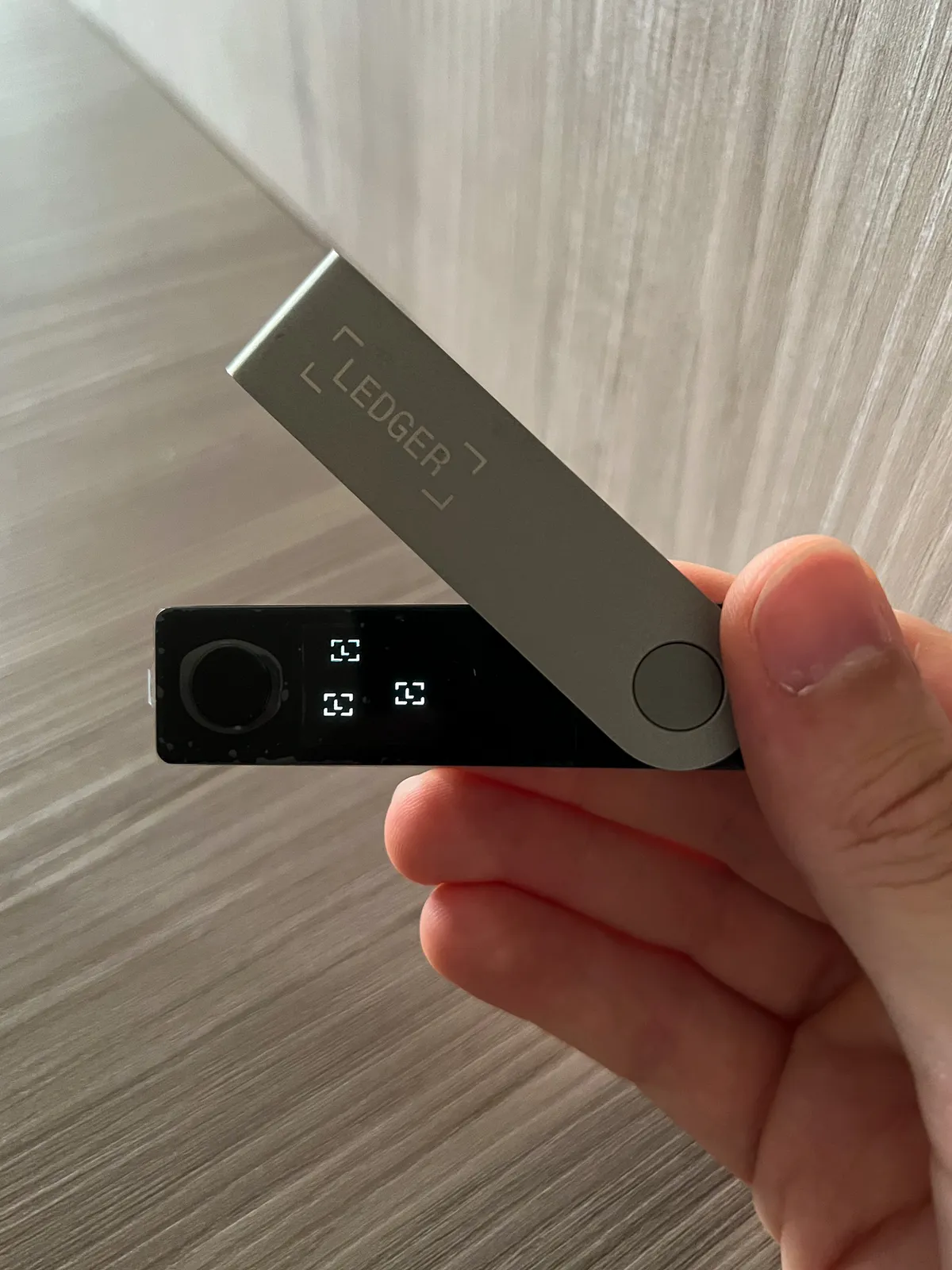
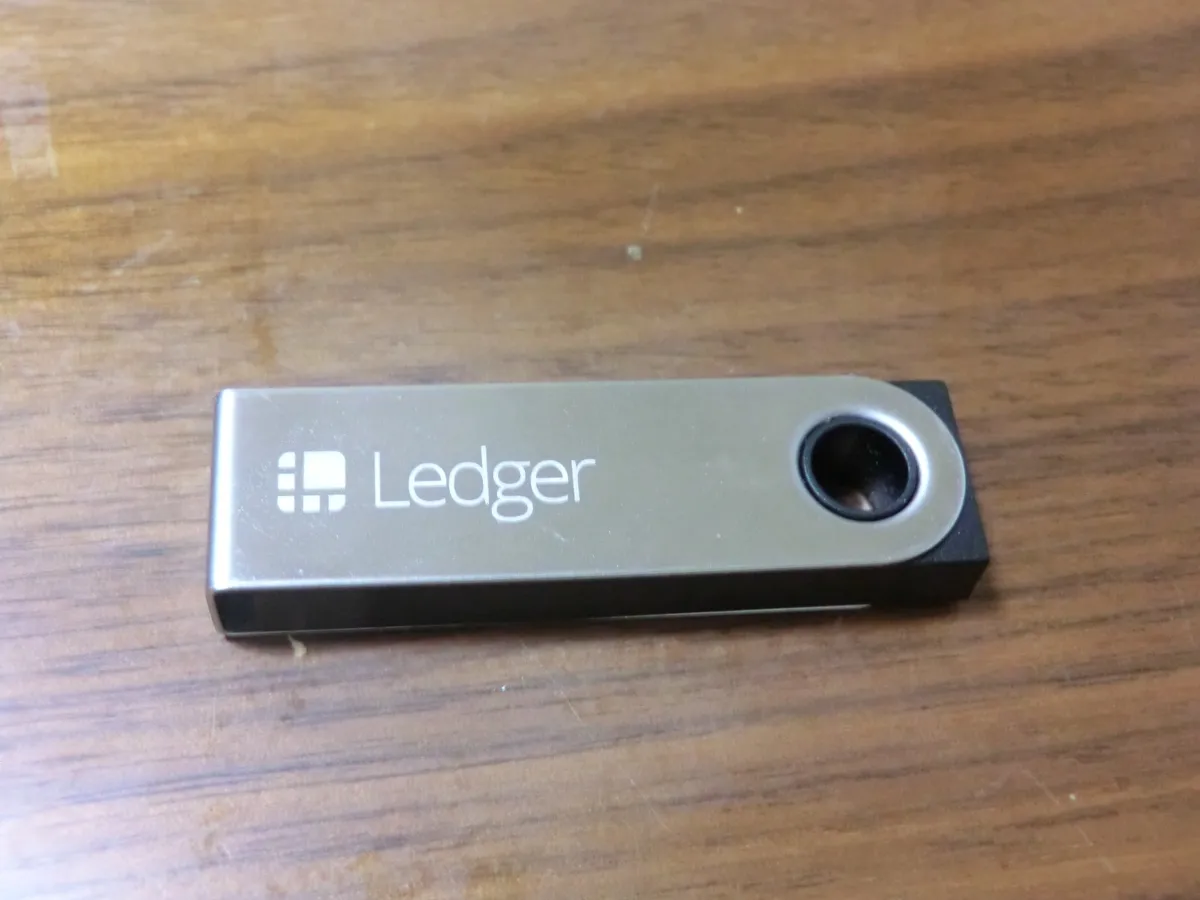
The Nano X ships in a small tamper-evident box containing the device itself, a USB-C-to-USB-A cable, a keyring lanyard, three recovery sheets for writing down the seed phrase, and a quick-start card. The device is noticeably chunkier than the Nano S Plus, closer in feel to a thick USB stick than a slim key fob, which is the tradeoff for fitting a battery and Bluetooth radio inside the case. Build quality feels solid, with a brushed steel-look front plate and a curved plastic back, and the two side buttons used for on-device navigation have a firm, deliberate click rather than the mushy feel of cheaper hardware.
Powering it on for the first time shows a small monochrome screen guiding you through choosing a new wallet or restoring an existing one from a seed phrase. Every step happens entirely on the device, a detail Ledger repeats constantly in its onboarding and one we came to appreciate: the PIN is entered on the device's own buttons, never on a phone or computer keyboard, which closes off an entire category of keylogger-style attacks.
Setting up and the seed phrase backup process
Initial setup took about fifteen minutes, most of it spent carefully transcribing the 24-word recovery phrase onto the supplied cardboard sheet, confirming a handful of the words back on the device to prove we'd copied them correctly, and setting a PIN. Ledger is emphatic, in the app, in the box insert, and on the device screen itself, that this phrase must never be typed into a computer, photographed, or stored in a password manager or cloud note, since anyone with those 24 words can drain the wallet with no PIN or device required. We took that seriously enough to store the completed sheet in a small fireproof document box rather than a drawer, which is the kind of decision this device forces you to actually make rather than defer.
Ledger sells a metal backup plate as an add-on for people worried about the paper sheet degrading or burning, and after handling the flimsy cardboard insert that ships in the box, we'd genuinely recommend the upgrade for anyone storing meaningful value, since the stock sheet is not something you'd want as your only copy for a decade. Once the seed phrase and PIN were set, connecting to the Ledger Live desktop and mobile apps to install coin apps and add accounts was straightforward, if slower than we expected on the first run, since Ledger Live has to sync several genuine app installs onto the device before anything is usable.

Bluetooth pairing and the mobile app, week by week
The headline feature over the cheaper Nano S Plus is Bluetooth, letting you manage the wallet from Ledger Live on a phone without a cable, and over five weeks the experience was good but not flawless. Initial pairing with a Pixel phone worked on the first try and stayed reliably connected for most sessions, but roughly once a week the Bluetooth link would silently drop mid-session, usually while confirming a transaction, requiring us to back out of the app, re-open the pairing, and re-verify the transaction details on the device screen from scratch. It's a minor annoyance rather than a security problem, since every transaction still requires physical confirmation on the Nano X's own screen and buttons regardless of Bluetooth state, but it undercuts the seamless mobile-wallet promise on the box.
Battery life held up well for how we used it: a single charge lasted about eight hours of genuinely active use, spread over roughly two weeks of occasional check-ins and transactions rather than continuous use, which is closer to Ledger's stated figures than we expected going in. The device does need to be plugged in briefly to charge every couple of weeks under light use, and there's no way to check remaining battery percentage precisely, just a rough icon in the corner of the device's own screen, which felt like an odd omission for a device this deliberate about its security messaging elsewhere.
The secure element and security model, explained plainly
The Nano X's core security claim rests on its secure element chip, a CC EAL5+ certified component of the same general class used in passports and payment cards, which stores the private keys and performs signing operations internally so the keys themselves never leave the chip in usable form, even when the device is connected to a compromised computer or phone. Ledger Live, running on the connected device, only ever sees public addresses and signed transactions, never the private key material, which is the entire point of a hardware wallet: the attack surface for key theft shrinks from "any malware on any device you've ever used" down to "physical access to this specific chip plus your PIN."
It's worth being precise about what this does and doesn't protect against, since marketing in this space tends to oversell. A secure element defends against remote malware, keyloggers, and compromised software wallets trying to exfiltrate keys, and against most casual physical tampering. It does not defend against you approving a malicious transaction because you didn't actually read what you were confirming on the device screen, a mistake we caught ourselves almost making once when a test transaction's destination address looked plausible at a glance but didn't match what we'd copied. It also doesn't make you immune to supply-chain risk if you buy a used or already-opened unit from an untrusted third party rather than directly from Ledger or an authorized retailer, and it doesn't protect the 24-word seed phrase itself, which remains the actual root of trust and the thing worth protecting most carefully of everything discussed in this review.
Supported coins and the app storage limitation
Ledger Live and its ecosystem of compatible third-party wallets collectively support well over 5,500 coins and tokens, covering every major chain we needed, Bitcoin, Ethereum and its token ecosystem, Solana, and a long tail of smaller assets through Ledger Live's manager. In practice, though, the device's internal storage is the real limiting factor day to day: the Nano X can hold roughly up to 100 apps simultaneously according to Ledger, but that number shrinks fast with larger apps like Ethereum installed, and we found ourselves periodically uninstalling and reinstalling apps for less frequently used chains to make room for others, a genuinely annoying bit of housekeeping that a device at this price shouldn't really require. Reinstalling an app doesn't touch the underlying accounts or funds since those are derived from the seed phrase, but it's still friction that the Nano S Plus, with its larger available storage in recent firmware, generally handles better.
Ledger Live itself has improved a lot over the years but still has rough edges: the built-in swap and buy features route through third-party partners with their own fees and occasionally confusing quote screens, account discovery for chains with multiple address formats can be genuinely confusing for a newcomer, and syncing balances across several accounts on a slower connection sometimes took thirty seconds or more with no clear progress indicator, leaving us unsure whether the app had actually frozen.
Comparison to the Ledger Nano S Plus
The Nano S Plus is Ledger's cheaper wired-only alternative, and after using both, the honest recommendation is that most people managing a portfolio from a desk should just buy that one instead and save roughly $80. The core security model, the same class of certified secure element, the same seed phrase backup process, the same Ledger Live software, is functionally identical between the two devices. The Nano X earns its premium specifically for Bluetooth and battery-powered phone use; if you never plan to manage crypto from your phone, that premium buys you a bulkier device for no real benefit.
Comparison to a software wallet
We ran a mobile software wallet, MetaMask, alongside the Nano X for the full test period specifically to keep the comparison honest, since a huge share of crypto users never touch hardware wallets at all. A software wallet is faster for everyday small transactions since there's no separate device to dig out, unlock, and confirm on, and it costs nothing beyond the phone you already own. The tradeoff is that the private keys live encrypted on the phone itself, protected only by whatever passcode and OS-level security the phone provides, which is a meaningfully larger attack surface than a dedicated secure element that was never designed to also run a browser, a camera app, and a hundred other things simultaneously. Our practical rule after this test: keep spending-money amounts in a software wallet for convenience, and move anything you'd be genuinely upset to lose onto the hardware wallet, rather than treating the two as interchangeable.
One underrated advantage of the hardware wallet approach that only became obvious with daily use: because every transaction requires physically confirming the destination address and amount on a separate screen, it acts as a hard circuit-breaker against the "approve a malicious contract without reading it" mistake that accounts for a large share of real-world crypto theft, in a way a software wallet's on-screen confirmation, which is easier to tap through on autopilot, doesn't provide nearly as effectively.
Who should actually buy this
The Nano X makes sense for someone who wants to manage a real, meaningful crypto position primarily from a phone, values not needing a cable for routine check-ins, and is willing to tolerate occasional Bluetooth flakiness and a real app-storage ceiling as the cost of that convenience. It's a poor fit for absolute beginners with only a small starting balance, who are better served starting with a software wallet until their holdings justify the hardware, and it's arguably not the best fit even for hardware-wallet buyers who mostly manage funds from a desktop, who should look at the cheaper Nano S Plus instead.
The verdict
Five weeks of real daily use, including the full seed phrase backup ritual, repeated Bluetooth pairing across two devices, and the ongoing chore of managing app storage, left us convinced the Ledger Nano X does exactly what it promises on security while falling noticeably short of "seamless" on the mobile convenience that's supposed to be its whole reason for existing over the cheaper Nano S Plus. The secure element and on-device confirmation genuinely change your risk profile for the better versus any software-only wallet, and that's the part worth paying for. The Bluetooth drops, the limited simultaneous app storage, and Ledger Live's occasional rough edges are real, specific costs, not nitpicks, and anyone who doesn't specifically need phone-based management should save the difference and buy the Nano S Plus instead.
Other products we tested

Ecobee Smart Thermostat Premium Review: Two Months of Real HVAC Testing
We installed the Ecobee Smart Thermostat Premium without a C-wire, tracked its temperature accuracy against a separate thermometer, and measured real energy savings over two months of daily HVAC use.

Bose SoundLink Flex Review: Six Weeks of Hiking, Kayaking, and Beach Days
Six weeks of camping, kayaking, and beach trips show the Bose SoundLink Flex's IP67 rating and PositionIQ orientation sensing are genuinely useful, with honest limits on bass and max volume.

Coros Pace 3 Review: Six Weeks Testing the GPS Watch That Barely Needs Charging
A dual-frequency GPS running watch that trades AMOLED shine for weeks of battery life at a fraction of the price of flagship rivals.