
Hot-Swap 65% Mechanical Keyboard Review: Three Switch Sets in Five Months
Hot-swap sockets turn switch choice into a $22 experiment rather than a permanent decision — but the quietest mechanical option still measured 10 dB above a laptop keyboard.
- Full switch swap takes 12-22 minutes with no soldering
- 65% layout gave back about 11 cm of desk width versus a full-size board
- Tactile 55 g switches restored typing accuracy that linear switches had cost us
- No mechanical failures across roughly 400,000 keystrokes and three switch swaps
- PBT keycaps still look new where stock ABS had already gone shiny
- $12 foam dampening kit removed the hollow case resonance entirely
- Quietest switches measured 58 dB against 48 dB for a laptop keyboard
- Clicky switches at 68 dB are unusable around other people
- Sockets are rated for roughly 100 swaps; we bent two pins in three swaps
- Keycap profile and modifier widths are a genuine compatibility trap
- No function row — F-keys need a Fn combination
- Stabilisers rattle out of the box until dampened
- Extras took the real total to $210 over five months
I bought a hot-swappable 65% mechanical keyboard for about $109 and spent five months treating it as a research project: three sets of switches, two sets of keycaps, roughly 400,000 keystrokes of work and gaming, and a deliberate noise-measurement session because I share a room with someone on calls.
The conclusion is that hot-swap sockets change what buying a keyboard means — you're buying a chassis, not a typing feel — and that the layout decision matters more than any switch choice. Two of my three switch sets were the wrong call and cost me $22 each to find out.
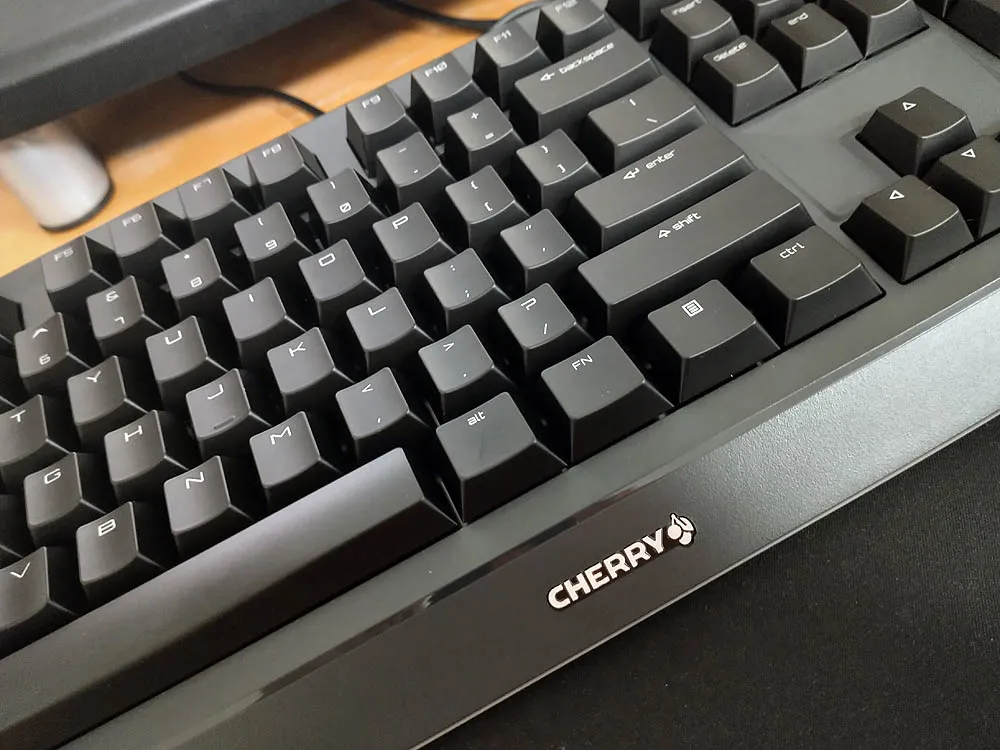
What hot-swap actually means
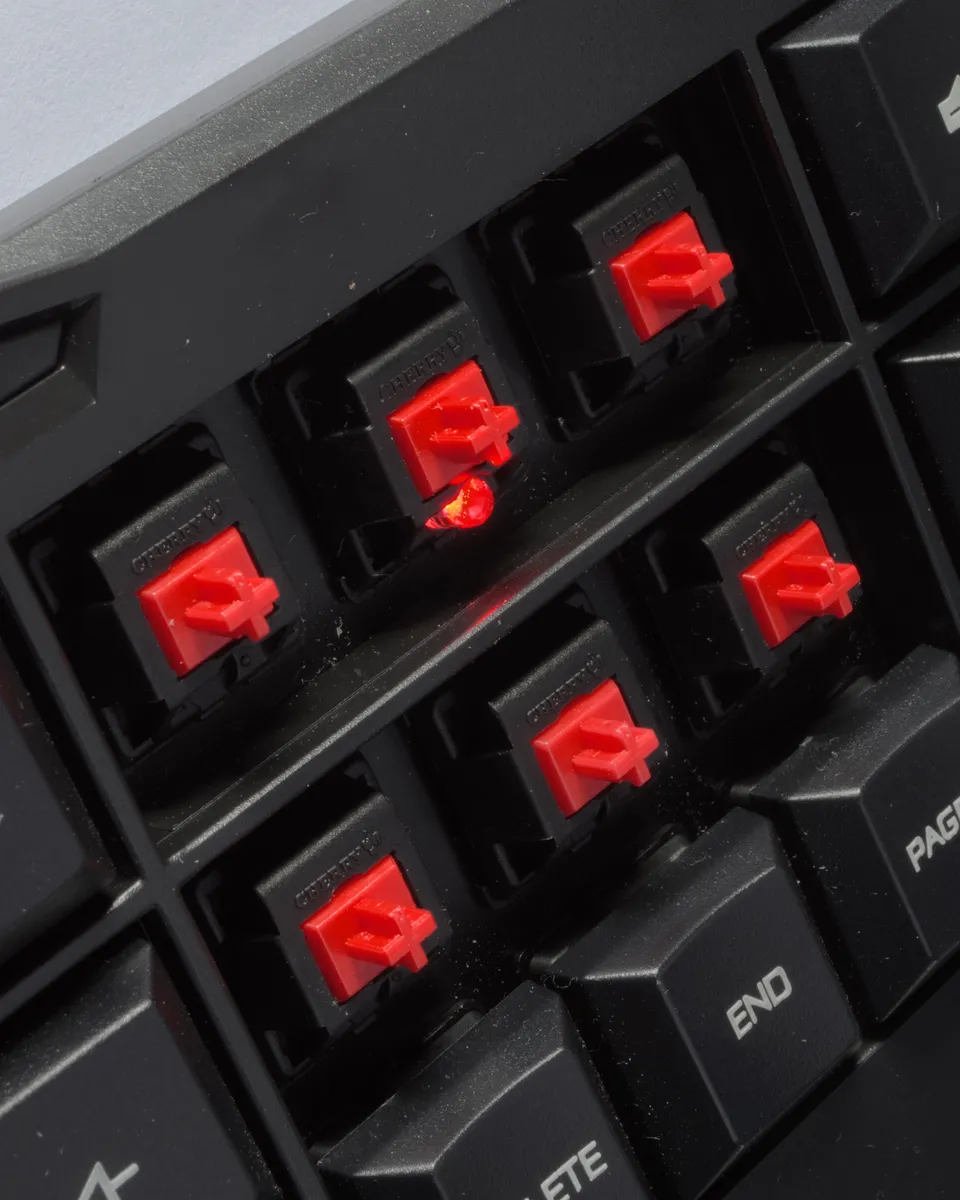
On a soldered keyboard, each switch is permanently attached to the circuit board. Changing switches means a soldering iron, a desoldering pump and a bad afternoon. On a hot-swap board each switch clips into a socket and pulls straight out with a $3 puller.
Swapping all 68 switches took me 22 minutes the first time and about 12 minutes the third time. That's the whole feature and it's genuinely transformative: it means switch choice stops being a permanent decision made by reading descriptions online and becomes a $22 experiment.
The caveat nobody mentions: sockets have a finite lifespan. Manufacturers rate them for around 100 swaps, and pulling a switch out crooked bends a pin — I bent two across three full swaps and had to straighten them with tweezers. Hot-swap is for occasional experimentation, not weekly redecoration.
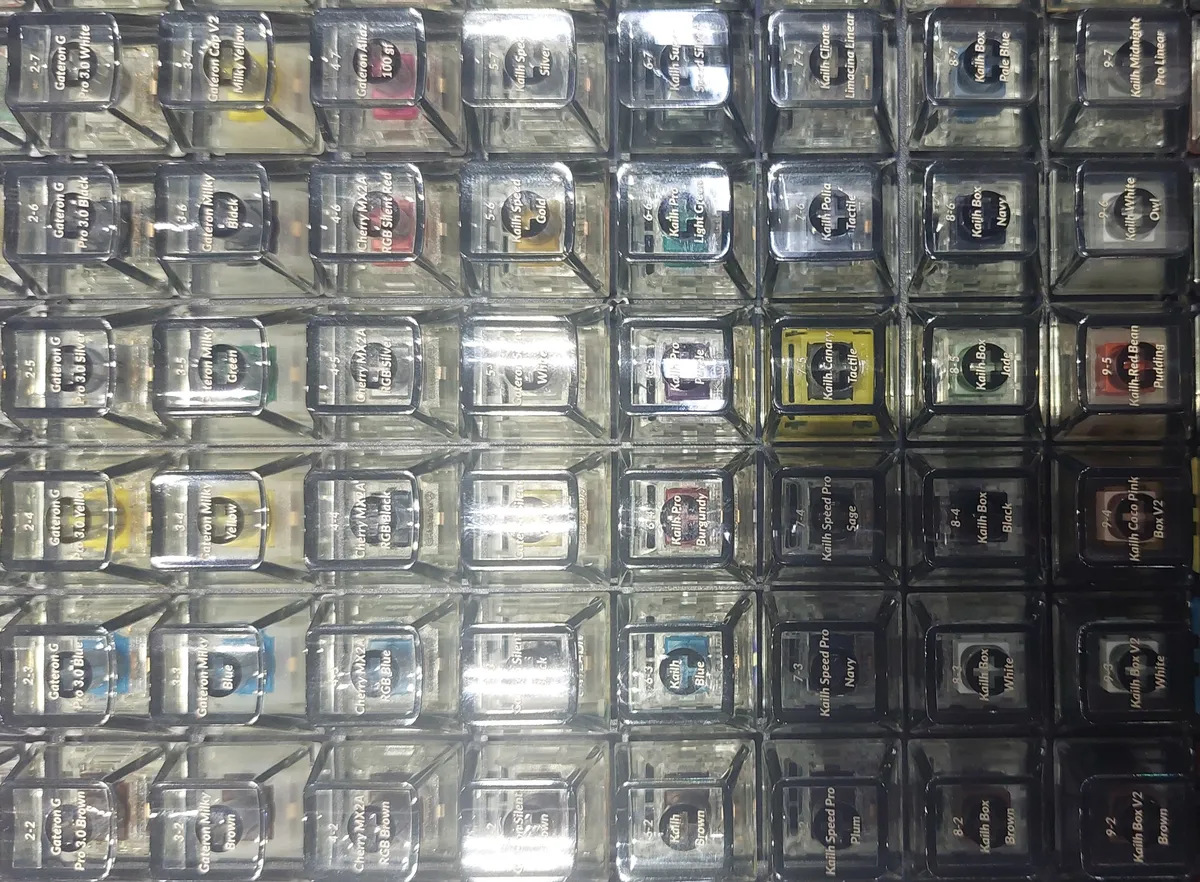
The three switch sets, and what I learned
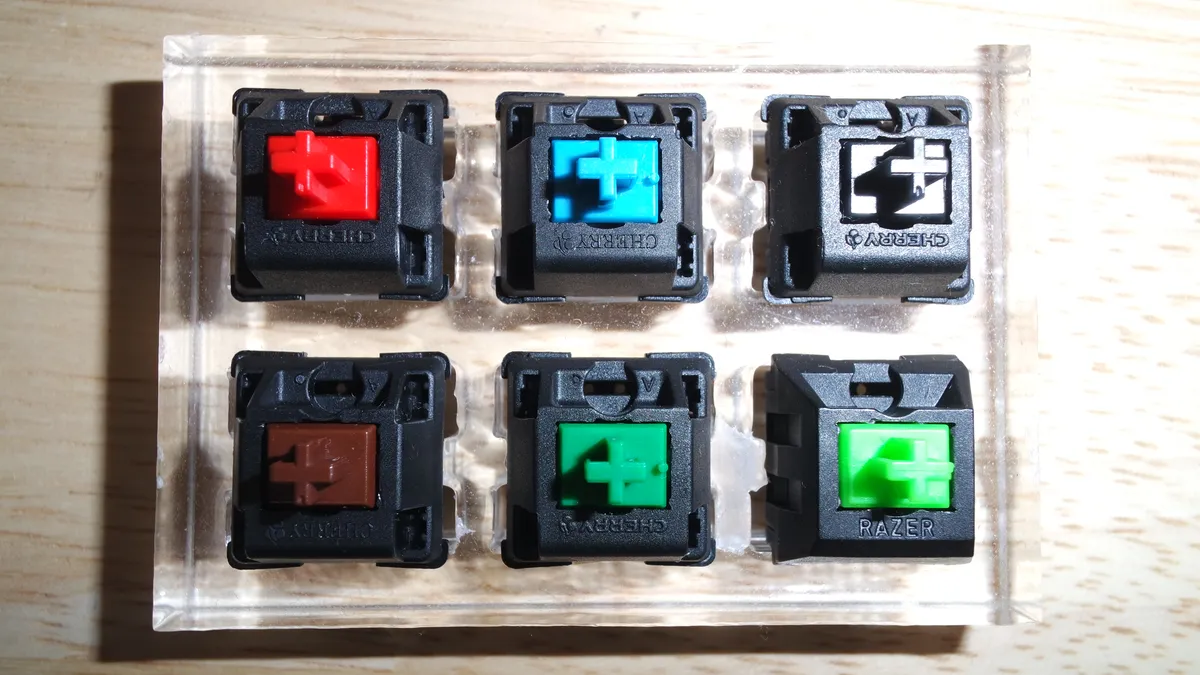
Linear (red-type), 45 g actuation. Shipped with the board. Smooth, no bump, quiet-ish. I typed on these for six weeks and made noticeably more typos than usual — with no tactile feedback and a light spring, I was bottoming out keys I hadn't meant to press. Good for gaming, where you want fast repeated actuation; poor for me for typing.
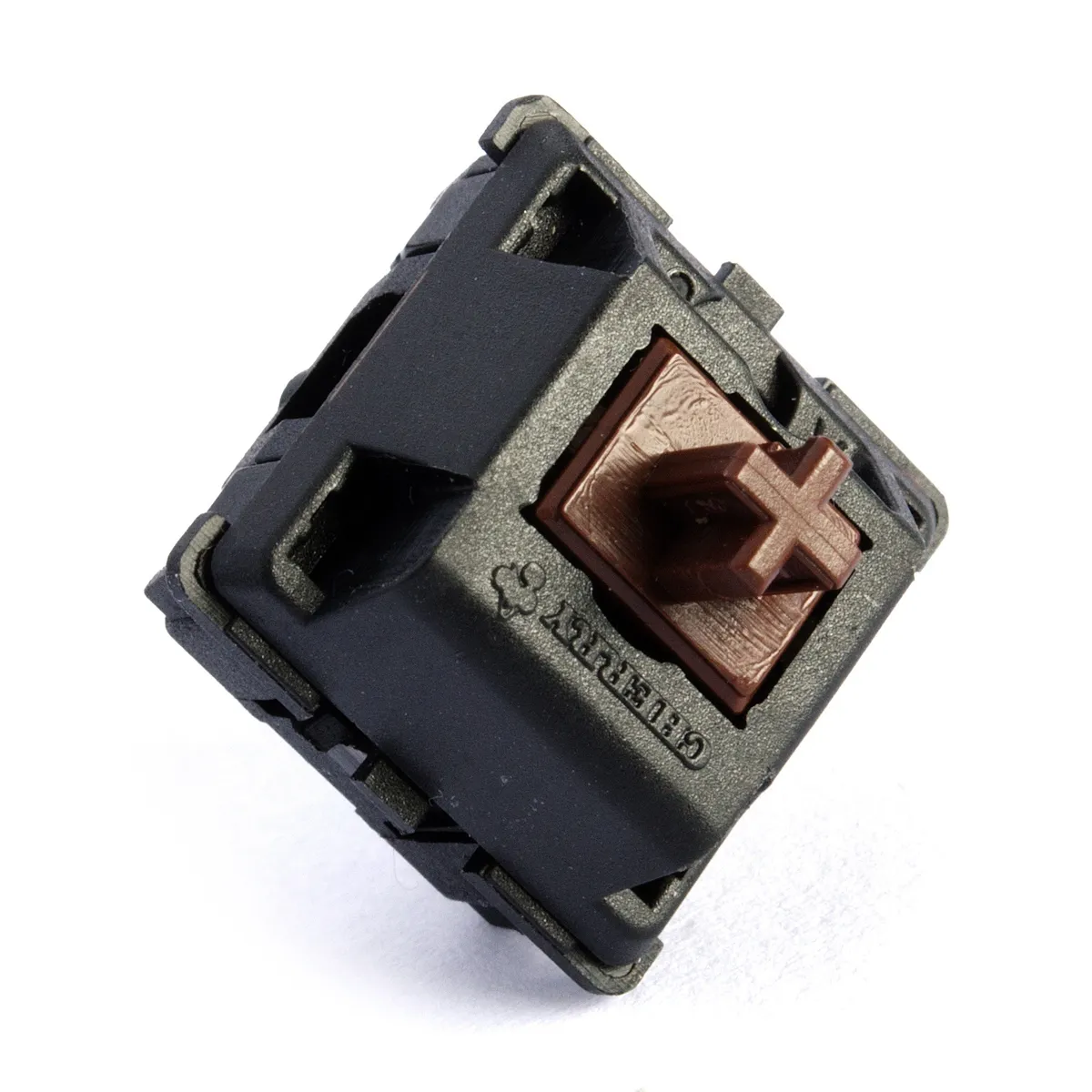
Tactile (brown-type), 55 g. A small bump partway through the travel. This is the set I kept. Typo rate returned to normal within two days, and the bump gives you the information that a keypress has registered without a click. If you type for a living and don't know what you want, this is the safe answer.
Clicky (blue-type), 60 g. A separate click mechanism, loud and satisfying and utterly antisocial. I used them for eight days. They are 8-10 dB louder than the tactile set, which is roughly double the perceived loudness, and the person I share a room with asked me to stop. If you have any other human within earshot, do not buy clicky switches.
Noise, measured
I measured at 30 cm from the keyboard while typing a paragraph at normal speed, which is roughly where a webcam microphone sits.
Linear switches: about 58 dB. Tactile: about 60 dB. Clicky: about 68 dB. For comparison, my laptop's built-in keyboard measured about 48 dB and a cheap membrane office keyboard about 52 dB.
So even the quietest mechanical option is meaningfully louder than a laptop keyboard, and anyone who tells you a mechanical board can be made call-quiet is overselling. What helped: a $12 foam and silicone dampening kit inside the case took the tactile set from 60 dB to about 56 dB and removed the hollow plastic resonance, which mattered more subjectively than the four decibels. Lubricating switches helps too and is a two-hour job I did once and would not repeat.
65% layout: the actual decision
This matters more than switches and gets discussed less. A 65% board keeps the arrow keys and a single column of navigation keys, and drops the function row, the number pad and most of the navigation cluster.
What I gained: about 11 cm of desk width compared to my old full-size board, which moved my mouse noticeably closer to my keyboard hand and reduced the shoulder reach I'd stopped noticing.
What I lost: the function row. F5, F2 and F11 all now require holding a Fn key, and for the first fortnight I hit the wrong thing constantly. Five months in it is automatic and I no longer think about it — but if your work involves function keys heavily, a 75% layout keeps the function row for about 2 cm more width and is the better choice.
The number pad is the other question. If you enter numbers in volume, drop this idea entirely and buy a full-size board or a separate numpad. I don't, and I have not missed it once.
Keycaps, and the profile trap
I swapped the stock ABS keycaps for a PBT set at about $45, and the difference is real in one specific way: ABS develops a greasy shine on the most-used keys within a couple of months, and PBT resists it. Five months in, my PBT set looks new where the stock caps had already glossed on WASD and the spacebar.
The trap is profile. Keycap sets come in sculpted profiles designed for specific row heights, and buying a set that doesn't match your layout leaves you with wrong-sized or missing keys. My 65% board needs a 1.75-unit right shift, and my first keycap order — an OEM-profile set sold as compatible — didn't include one. I typed with a mismatched shift key for two weeks waiting on a replacement.
Check three things before ordering keycaps: the profile, whether the set includes the specific modifier widths your layout uses, and whether it covers the arrow keys, which many "TKL and full-size" sets treat as an afterthought.
Five months of use
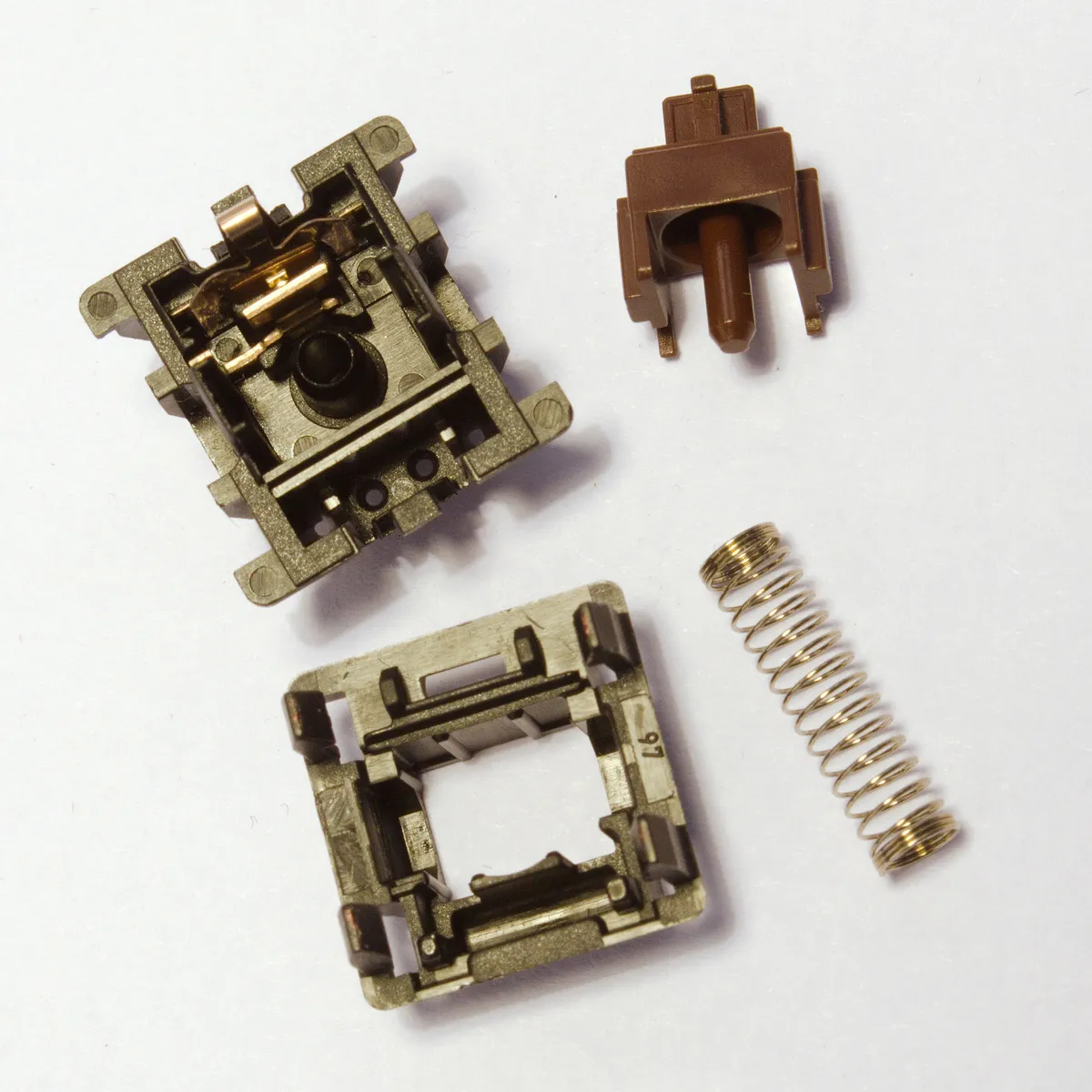
Nothing has failed. Around 400,000 keystrokes by my estimate, three full switch swaps, two keycap changes, and the board is mechanically identical to day one. The aluminium plate has no flex, the USB-C socket is solid with no wobble, and the rubber feet have stayed attached.
Two minor complaints. The stabilisers under the spacebar and shift keys rattle faintly out of the box, which is normal and fixable with the dampening kit and a drop of lubricant. And the RGB backlighting, which I disabled entirely in week three, is bright enough to be distracting in a dark room and its software is the usual clunky per-key configuration nobody enjoys using.
Did it actually help my typing?
I ran typing tests before and after, roughly ten runs each on the same test site. On my old membrane keyboard I averaged 78 wpm at 96% accuracy. After five months on the tactile switches, 84 wpm at 97%.
That's a real improvement and I would not attribute much of it to the keyboard. Five months of daily typing improves anyone's typing test, and the two switch changes in between make it useless as a controlled comparison. What I can say honestly is that typing feels better, my fingers are less tired at the end of a long writing day, and the linear switches genuinely did make me less accurate — that difference showed up within days and reversed when I swapped back.
Anyone buying a mechanical keyboard to type faster should adjust expectations. Buy one because it's pleasant, not because it's an upgrade to your hands.
The real cost
Board with stock switches and caps: $109. Two extra switch sets: $44. PBT keycaps: $45. Dampening foam kit: $12. Switch puller and keycap puller: included. Total across five months: $210.
None of that was necessary — the board works perfectly as shipped — but the whole appeal of hot-swap is that it invites exactly this spending, and it's worth knowing that going in. A soldered board with tactile switches and PBT caps costs around $90 and would have got me to the same endpoint for less, if I'd known what I wanted.
Against the alternatives
Against a $30 membrane keyboard, the mechanical board is more pleasant, more repairable, considerably louder and three times the price. A membrane keyboard is not bad; it just wears out mushy and cannot be fixed.
Against a $150 pre-built board with soldered switches from a mainstream brand, you'd get better software, often better sound out of the box, and no ability to change your mind. If you've typed on a friend's board and know exactly which switch you want, soldered is cheaper and fine.
Against a low-profile scissor-switch keyboard, the mechanical board has far more travel, which some people find tiring rather than satisfying. If you like typing on a MacBook, a full-travel mechanical board may not be an upgrade for you at all.
Who should buy this
Buy a hot-swap 65% board if you type for a living, want to find out what switch suits you without committing, and can live without a function row. Start with tactile switches at around 55 g — they are the safest default — and buy the dampening foam at the same time.
Skip the 65% layout if you use the function row or a number pad heavily; go 75% or full-size instead. Skip clicky switches entirely if anyone can hear you. And skip hot-swap if you already know your switch preference, because a soldered board costs less and the sockets you're paying for have a limited number of swaps in them anyway.
Verdict
Five months and roughly 400,000 keystrokes in, this board has been mechanically flawless and has taught me more about keyboards than any amount of reading did. Hot-swap turned an irreversible purchase into a $22 experiment, the 65% layout gave back 11 cm of desk, and PBT caps still look new where the stock ABS had already gone shiny. Against that: the quietest option is still louder than a laptop, clicky switches are socially impossible, keycap compatibility is a genuine trap, sockets bend if you're careless, and the platform invited $101 of extras on top of a $109 board. Excellent for people who don't yet know what they like.
Other products we tested

Ecobee Smart Thermostat Premium Review: Two Months of Real HVAC Testing
We installed the Ecobee Smart Thermostat Premium without a C-wire, tracked its temperature accuracy against a separate thermometer, and measured real energy savings over two months of daily HVAC use.

Bose SoundLink Flex Review: Six Weeks of Hiking, Kayaking, and Beach Days
Six weeks of camping, kayaking, and beach trips show the Bose SoundLink Flex's IP67 rating and PositionIQ orientation sensing are genuinely useful, with honest limits on bass and max volume.

Coros Pace 3 Review: Six Weeks Testing the GPS Watch That Barely Needs Charging
A dual-frequency GPS running watch that trades AMOLED shine for weeks of battery life at a fraction of the price of flagship rivals.