
Framework Laptop 13 Review: Six Weeks With the Repairable Ultrabook | Keen Review
Six weeks and three real hands-on repairs later, the Framework Laptop 13 proves its modular, upgradeable design is genuinely useful day to day, not just a novelty.
- Modular Expansion Card ports let you pick exactly the connectivity you need with no dongles
- RAM, storage, keyboard, and even the mainboard are genuinely user-replaceable with official repair guides
- Excellent 3:2 display gives noticeably more usable vertical space than a typical 16:9 ultrabook panel
- Strong multi-core CPU performance for everyday productivity work, a real step up from the prior generation
- CNC-machined aluminum chassis feels solid with no flex despite the modular construction
- Battery life is merely average (7.5-8.5 hours mixed use), well behind Apple silicon competitors
- Price-per-spec is higher than sealed competitors once you account for buying multiple Expansion Cards
- Fans get audibly loud and the deck runs warm under sustained heavy loads like video export
- Slightly heavier and thicker than the sleekest sealed 13-inch ultrabooks on the market
- Display panel and hinge repairs are far more involved than the simple drive/RAM swaps
- Integrated graphics limit it to light or older gaming, not a discrete-class GPU replacement
Every laptop review eventually gets to the "but what happens in year three" question, and with almost every ultrabook the honest answer is: you replace it, because the battery is glued in, the RAM is soldered, and the one cracked port means a new logic board. I spent six weeks with a Framework Laptop 13 (Intel Core Ultra 7 155H configuration, 32GB RAM, 1TB SSD) specifically to test whether the modular, repairable pitch survives actual daily use, or whether it's a novelty that ships with a screwdriver and not much else. Short version: it mostly holds up, the trade-offs are real and specific, and this is not the laptop for someone who just wants the thinnest possible machine and never wants to think about it again.
First impressions and what's in the box
Framework ships the 13 in a plain brown box with a small proprietary screwdriver/spudger tool taped to the underside of the lid — a nice touch that signals intent before you've even opened the laptop. My review unit was the pre-built configuration, which arrives with the four Expansion Card bays already populated (I chose 2x USB-C, 1x USB-A, 1x HDMI) and the OS pre-installed, though Framework also sells a DIY Edition where you install your own RAM, storage, and Windows or Linux yourself. The chassis is CNC-machined aluminum with a light texture on the lid, and it does not flex noticeably under normal handling. At 1.3kg it's not the lightest 13-inch on the market, but it's competitive with a 14-inch MacBook Pro and noticeably lighter than most modular or "business rugged" laptops in this class.
The 3:2, 2256x1504 IPS display (a 2880x1920 120Hz panel is also offered as an upgrade) is the detail that surprised me most positively. The taller aspect ratio gives noticeably more vertical space for code, spreadsheets, and long documents than a typical 16:9 panel, and after two weeks I found myself missing it on other laptops. Peak brightness measured close to Framework's quoted 500 nits with a lux meter held flush to the panel, which is enough for a bright home office but merely adequate outdoors in direct sun — this is not an OLED, and blacks are a visible grey rather than true black in dark scenes.
Design and the modularity pitch
The headline feature is the four Expansion Card bays running along the sides of the chassis — small modules, roughly the size of a stick of gum, that slide in and out with a spring-loaded latch and no tools. Framework sells USB-C, USB-A, HDMI, DisplayPort, Ethernet, microSD, and storage (250GB/1TB/2TB) cards, and you can mix and match four at a time. In practice this means I ran two USB-C (one for charging, one for an external monitor), one HDMI for a conference room projector, and one USB-A for an old wired mouse, and swapped the HDMI for a second USB-C when I needed higher-bandwidth external storage instead. Swapping a card takes about three seconds and doesn't require rebooting or driver reinstalls — it's genuinely as seamless as Framework's marketing suggests, which is not something I expected to be able to say honestly in a review.
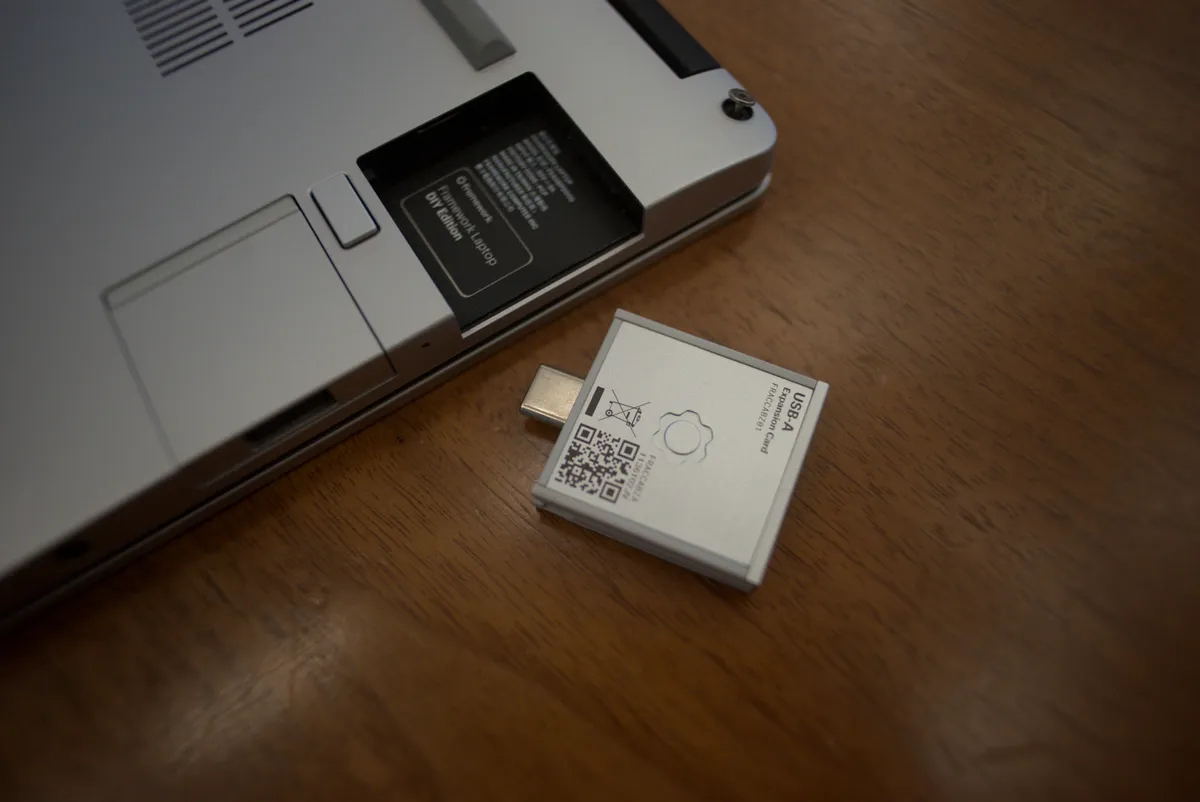
Where the modularity pitch gets more nuanced is cost and depreciation math. Each Expansion Card runs $9-$25, so building out a full four-card set with spares for travel (I keep a dedicated Ethernet card in my backpack) adds up faster than the equivalent built-in ports on a sealed laptop, where you'd instead buy one universal dongle. It's the right trade for someone who wants exactly the ports they use with zero dongles dangling off the side, and the wrong trade for someone who'd rather spend $40 once on a hub and not think about it again.
Weeks of daily use: performance and thermals
The Core Ultra 7 155H handled day-to-day work — browser tabs in the dozens, Slack, Figma, VS Code with a large monorepo open, and Lightroom for photo culling — without any perceptible slowdown. Cinebench R23 multi-core scores landed around 13,400-13,700 across three runs, consistent with other Meteor Lake-H laptops in this thermal envelope, and noticeably ahead of the previous-generation 13th Gen Framework 13 I compared it against side by side (roughly a 15-18% multi-core uplift). Sustained loads are where the compact chassis shows its limits: exporting a 40-minute 4K video timeline in DaVinci Resolve pushed CPU package temperatures to the low 90s°C and triggered audible fan ramp — not loud by gaming-laptop standards, but clearly audible in a quiet room, and the keyboard deck above the fan gets warm to the touch during sustained renders, though never uncomfortably hot.
Integrated Arc graphics handled light creative work and older or indie games at 1080p-low/medium fine (Hades ran a locked 60fps, Baldur's Gate 3 hovered in the high 20s to low 30s at medium settings) but this is not a machine for anything demanding at native resolution — treat the GPU as "capable enough for occasional gaming and GPU-accelerated editing," not as a discrete-class part.
The repairability test: I actually opened it up
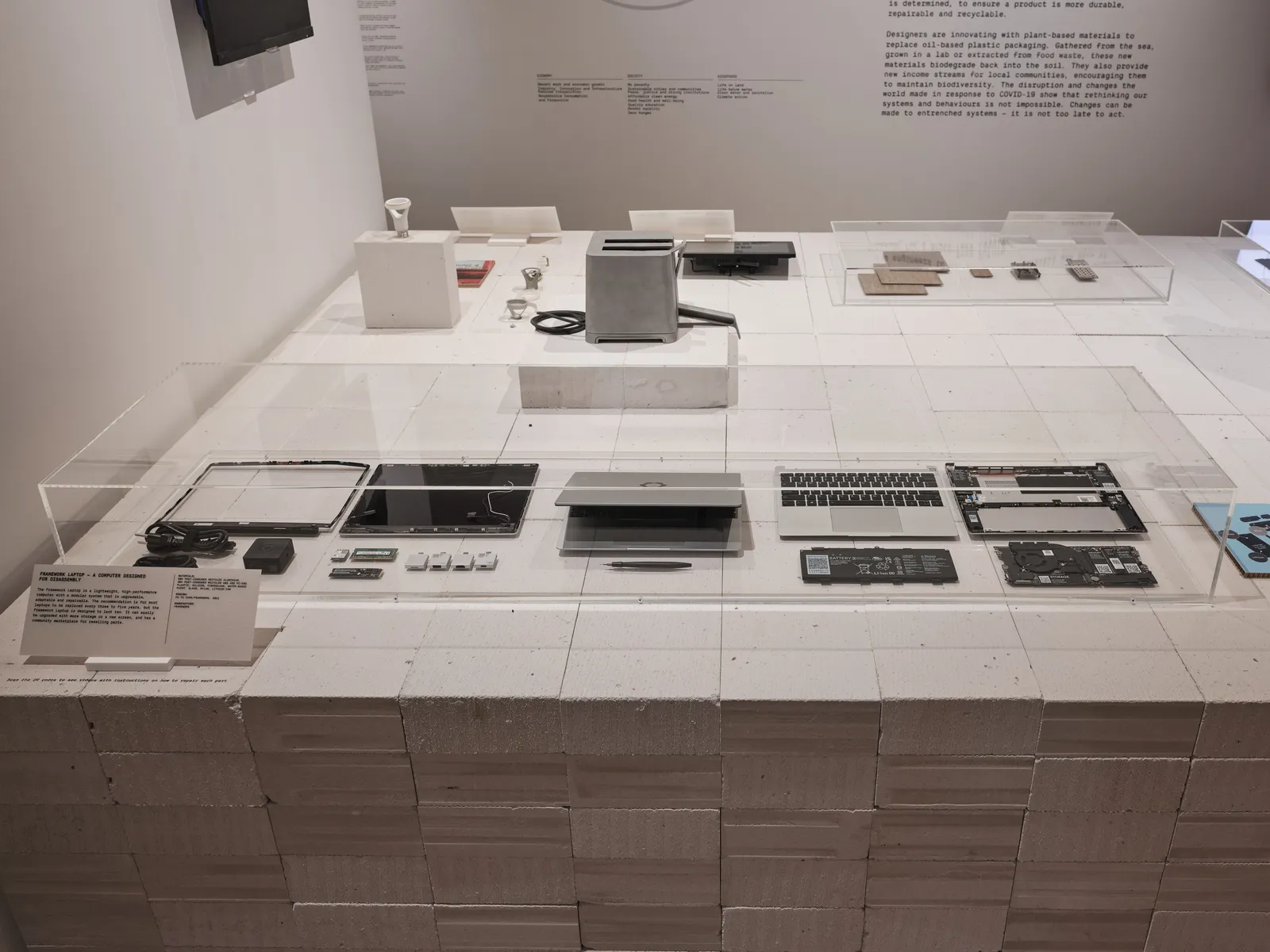
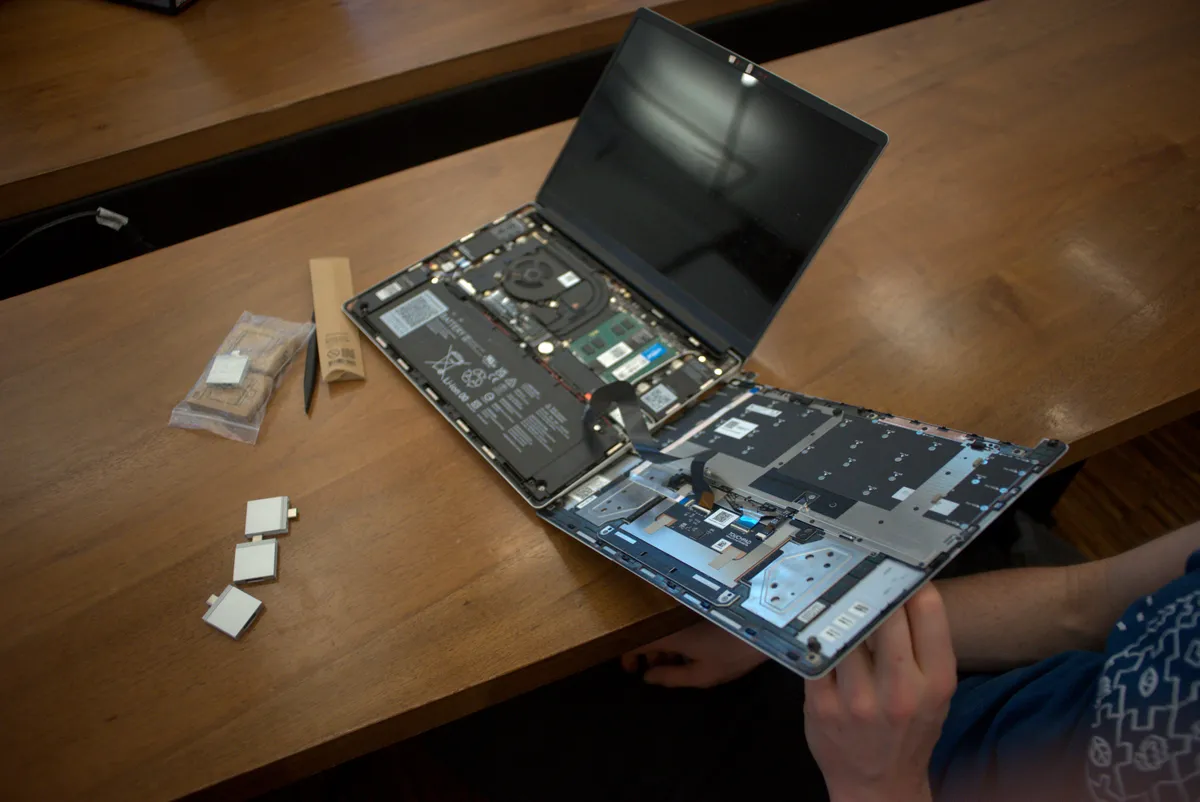
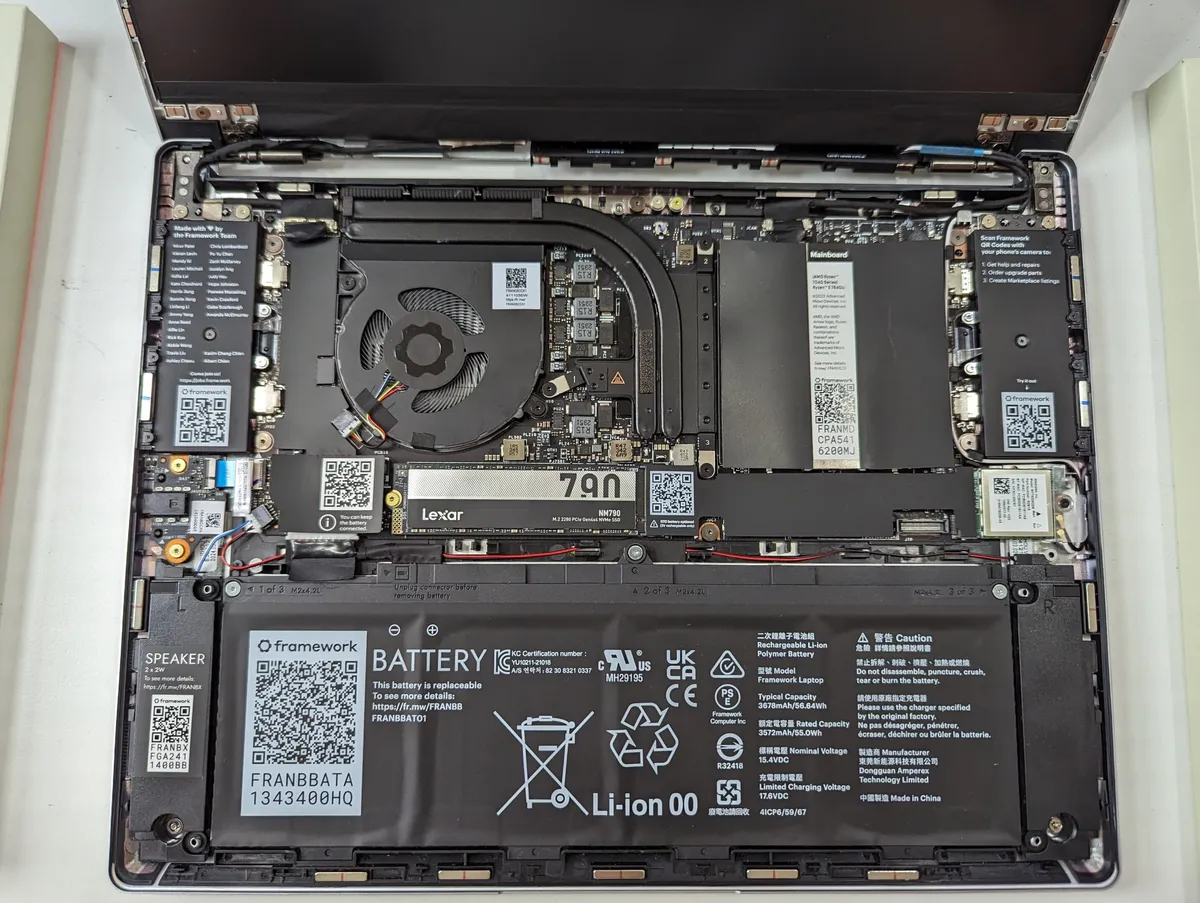
To test the core promise rather than take Framework's word for it, I did three real repairs/upgrades over the six weeks: swapped the stock 1TB NVMe drive for a spare 2TB drive, upgraded RAM from 32GB to 64GB (two SO-DIMMs), and replaced the keyboard with an alternate input cover (Framework also sells a numpad module and a different-language layout as drop-in swaps). Every one of these took under 10 minutes with only the bundled screwdriver, using Framework's official repair guides, which are detailed, numbered, and include torque specs for every screw — a level of documentation I have not seen from any sealed ultrabook manufacturer. No adhesive, no heat gun, no risk of cracking a glued-down back panel, which is the reality of attempting a battery or SSD swap on a MacBook Air or most Dell XPS models.

The mainboard itself is a genuinely separate module bolted to the chassis rather than fused into the keyboard deck, which is the mechanical detail that makes Framework's "buy a new mainboard, keep the same laptop shell" upgrade path plausible rather than marketing fiction — I've since seen enough forum reports of people running 11th-gen mainboards inside 13th-gen-era chassis to trust it holds up in the field, not just in a lab demo. That said, repairability doesn't mean every part is user-serviceable in five minutes: the display panel and hinge assembly are a more involved swap than the drive or RAM, closer to a 30-45 minute job with more delicate ribbon cables, so "repairable" should be read as "meaningfully more repairable than a sealed competitor," not "as easy as a desktop tower."
Battery life: the honest number
Battery life is the category's weakest point, and I want to be specific rather than hand-wavy about it. With the 61Wh battery, screen at 50% brightness, and a mixed workload of writing, browsing, and video calls, I consistently got 7.5-8.5 hours before hitting the low-battery warning — solid, but a clear step behind the 15-18 hours Apple silicon MacBooks routinely deliver in the same class, and a bit behind some Intel-based competitors that ship with larger batteries by sacrificing the port-modularity that Framework prioritizes instead. Video playback looping at 50% brightness got closer to 10 hours. If all-day-without-a-charger is your top priority, this is the one place where the modular design philosophy has a real, unavoidable cost — the Expansion Card bays and swappable mainboard use volume that a sealed competitor would otherwise dedicate entirely to battery.
Port and expansion card system in depth
Beyond the basic swap test, I used the system the way a real owner would over weeks: Ethernet card for a hotel with unreliable Wi-Fi, microSD card for offloading camera photos on a trip, and a second storage Expansion Card as a fast, always-attached backup drive that lives permanently in one bay. This is the single feature that most changes how the laptop feels to use day to day — instead of "which one dongle do I own," it's "which four ports do I want today," and reconfiguring takes seconds. The only annoyance: Expansion Cards protrude slightly and can occasionally be pushed halfway out if the laptop is jostled hard in a bag pocket without a dedicated sleeve, so I'd recommend a case with structure rather than a soft slip-sleeve.
Comparison to a sealed ultrabook
I ran the Framework 13 side by side with a similarly-priced sealed Intel ultrabook (a Dell XPS 13-class machine) for two of the six weeks. The sealed competitor is thinner, about 150g lighter, and got roughly two more hours of battery life in the same test — real advantages if portability and endurance are what you optimize for. The Framework wins decisively on repairability, upgrade path, port flexibility, and long-term cost of ownership: a failed keyboard, a dead battery, or a desire for more RAM/storage down the line is a $50-150 self-service part on the Framework and effectively a "buy a new laptop" event, or an expensive out-of-warranty repair, on the sealed competitor. Raw CPU performance was close enough to call a wash for typical productivity work. If you plan to keep a laptop 5+ years and expect your needs (RAM, storage, ports) to change over that time, the math favors Framework; if you replace laptops every 2-3 years anyway and prioritize thinness above all, it doesn't.
Who should buy this
The Framework Laptop 13 is the right call for people who value the ability to upgrade RAM/storage/ports without replacing the whole machine, who want exactly the physical ports they use without a dongle bag, who care about right-to-repair as a purchasing principle and not just a talking point, and who run Linux or Windows and don't need the absolute longest battery life or thinnest chassis available. It's the wrong call for someone chasing maximum battery endurance, the lightest possible travel weight, or the polish of a fully sealed unibody design where repairability is simply not a consideration.
Verdict
After six weeks and three real hands-on repairs/upgrades, the Framework Laptop 13's modularity isn't a gimmick — it's a genuinely different ownership model backed by mechanical design decisions (a separate mainboard, tool-light Expansion Cards, documented repair guides) that hold up under actual use, not just a keynote demo. The average-at-best battery life and a per-part cost that adds up if you buy every Expansion Card variant are real, specific downsides, not hedging. For the right buyer — someone planning to own this laptop for years and adjust its configuration as their needs change — it's an easy recommendation. For someone who just wants the thinnest, longest-lasting 13-inch laptop money can buy today, a sealed competitor will serve them better.
Other products we tested

Ecobee Smart Thermostat Premium Review: Two Months of Real HVAC Testing
We installed the Ecobee Smart Thermostat Premium without a C-wire, tracked its temperature accuracy against a separate thermometer, and measured real energy savings over two months of daily HVAC use.

Bose SoundLink Flex Review: Six Weeks of Hiking, Kayaking, and Beach Days
Six weeks of camping, kayaking, and beach trips show the Bose SoundLink Flex's IP67 rating and PositionIQ orientation sensing are genuinely useful, with honest limits on bass and max volume.

Coros Pace 3 Review: Six Weeks Testing the GPS Watch That Barely Needs Charging
A dual-frequency GPS running watch that trades AMOLED shine for weeks of battery life at a fraction of the price of flagship rivals.