
Elgato Stream Deck Review: Eleven Weeks as Both a Streaming Rig and a Desk Macro Pad
Eleven weeks with the 15-key Elgato Stream Deck across streaming and everyday productivity shows a genuinely well-built macro pad that's worth $150 only if you have enough repetitive, multi-step actions to justify it.
- Tactile, labeled LCD keys eliminate memorizing keyboard shortcuts mid-stream
- Folders and multi-actions turn 15 keys into effectively 60+ organized shortcuts
- Elgato Marketplace plugins cover OBS, Twitch, Spotify, Hue and most mainstream apps well
- Per-application profile switching is genuinely useful for non-streaming productivity too
- Solid build quality held up to months of daily heavy use without wear
- Live-updating icons (CPU temp, now-playing) add real at-a-glance value
- About $150 for what is fundamentally a macro pad with a screen
- Requires Elgato's proprietary software running in the background at all times, with real RAM and boot-time overhead
- Niche third-party plugins are inconsistent quality and can silently break after software updates
- Fixed ~1m USB-C cable and the unit's own footprint eat real desk space next to a keyboard
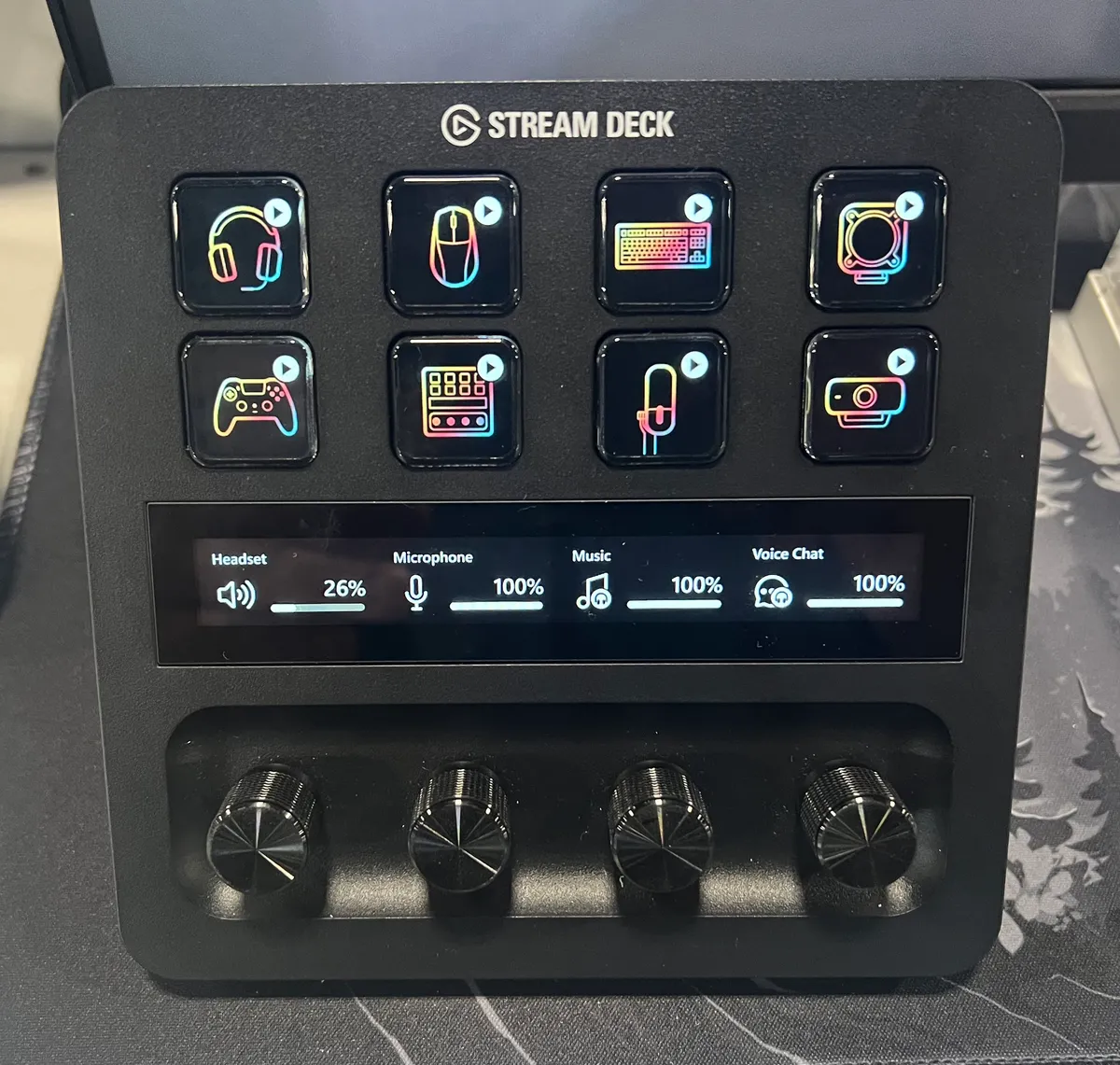
- No dial/encoder like the Stream Deck+, so some adjustments are click-only rather than scroll-based
- Meaningful setup time investment before profiles and multi-actions actually save time
I've had an Elgato Stream Deck (the 15-key MK.2 model) sitting to the left of my keyboard for eleven weeks now, first for a modest Twitch hobby stream and then, almost by accident, as a daily productivity tool for everything from muting Zoom calls to opening my invoicing spreadsheet. That split use case turned out to be the most interesting thing about testing it: Elgato markets this as a streaming accessory, but the honest answer is that it's a general-purpose macro pad with a screen, and whether it's worth roughly $150 depends entirely on how many repetitive multi-step actions you actually perform in a day.
The unit I tested is the current 15-key Stream Deck, not the smaller 6-key Mini or the dial-equipped Stream Deck+. That distinction matters for this review because a meaningful chunk of the value proposition here is having enough physical keys to build out folders without constantly drilling down, and I wanted to test that specific configuration rather than the cut-down version some readers may be comparing it against.
First impressions and what's in the box
The box is minimal: the Stream Deck itself, a fixed woven USB-C cable (about a meter long, non-detachable at the device end), a folding plastic stand that clips onto the back, and a quick-start card that mostly just tells you to download the software. There's no manual worth reading because almost everything happens inside the Stream Deck app once it's installed.
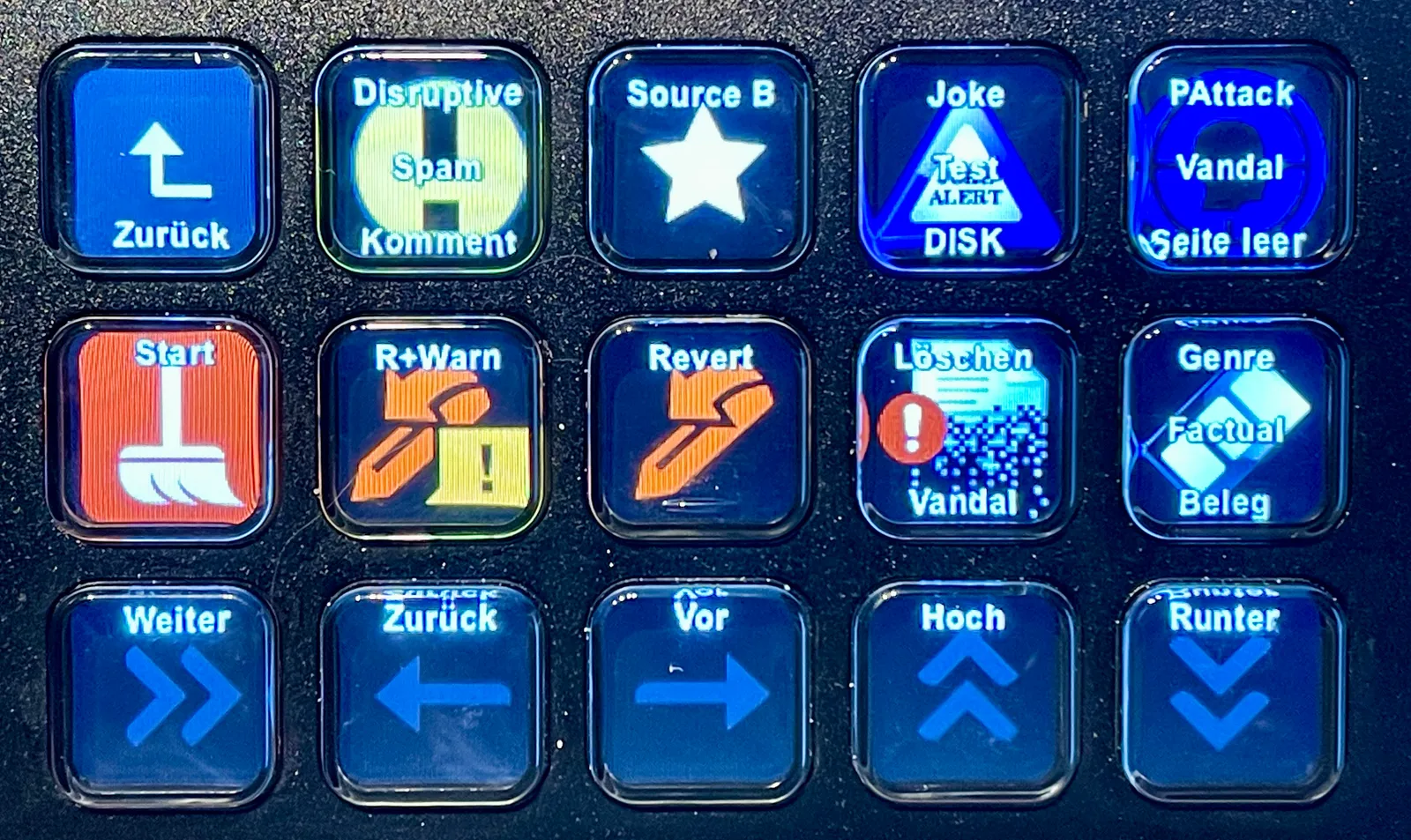
Physically it's smaller and heavier than photos suggest — about 118mm x 84mm x 25mm and roughly 180 grams, dense enough that it doesn't slide around on a desk mat even under aggressive tapping. The 15 keys are actually small LCD screens under a plastic overlay, each rendering a 72x72 pixel icon you assign yourself. Key travel is short and slightly mushy compared to a mechanical keyboard switch, which took a few days to stop noticing. The bezels between keys are wide enough that missed presses were rare even when I stopped looking at the pad and relied on muscle memory for frequently used positions.
Software setup and first profile
The Stream Deck app (Windows and macOS, both tested — I ran it on a Windows 11 desktop for six weeks and a MacBook Pro for the remaining five) is where all the real work happens. Dragging actions onto key slots is genuinely well designed: built-in actions cover hotkeys, launching apps, opening URLs, media playback, multimedia controls, and text snippets, and third-party plugins from the Elgato Marketplace extend that considerably. My first profile took about forty-five minutes to build: OBS scene switches on the top row, mic mute and audio ducking in row two, and a folder button that expanded into chat moderation commands for row three.
One detail that isn't obvious from marketing copy: the software needs to be running in the background at all times for the Stream Deck to do anything beyond display static icons. On my desktop this added a consistent 90-130MB of RAM usage and a noticeable half-second delay on system boot before the keys became responsive. It's not a dealbreaker, but it is a genuine cost that a keyboard shortcut or a bound key on your actual keyboard doesn't carry, and it's worth factoring into the "why not just use hotkeys" comparison later in this review.
Key customization and multi-action folders
The feature that ended up mattering most over eleven weeks wasn't any single hotkey — it was folders and multi-actions. A folder turns one key into a submenu of up to 15 more keys, so my 15 physical buttons became functionally closer to 60 once I organized them into "Stream," "Audio," "Apps," and "Text Snippets" folders. Multi-actions chain several steps behind a single press: my "Start Stream" key fires four things in sequence — switches OBS to the starting-soon scene, unmutes my mic, posts a status message to a Discord webhook, and starts the recording — with a roughly 200ms delay between each step that I had to tune manually so OBS didn't drop the scene switch under load.
Building this took trial and error. The default delay between multi-action steps is too short for some apps to register the previous command before the next one fires, and Elgato's own documentation doesn't call this out clearly. I lost about half an hour early on troubleshooting why my "End Stream" macro sometimes left the mic unmuted, before realizing I needed to add a 300ms pad between the OBS scene change and the mute toggle.
Icon customization is more flexible than I expected. You can upload your own PNGs, use the built-in icon library, or let certain plugins auto-generate icons that update live (a CPU/GPU temperature plugin updates its key icon every few seconds, for instance, which is a nice touch for at-a-glance monitoring during long streams).
Weeks of streaming use
For the actual streaming use case, the Stream Deck earns its keep. Switching between four OBS scenes, muting an alert sound, adjusting scroll-lock for chat, and triggering a "brb" overlay used to mean memorizing five different keyboard combinations that I'd occasionally fumble on stream in front of viewers. With the Stream Deck, those became five labeled, icon-coded physical presses I could hit without looking. Over roughly 30 stream sessions I did not have a single scene-switch mistake that I could attribute to the pad itself — the few I did have were multi-action timing issues I'd already tuned wrong.
The Elgato Marketplace plugin ecosystem is the other half of the streaming pitch, and it mostly delivers. I installed plugins for OBS (deeper control than the built-in integration, including individual source visibility toggles), Twitch (chat commands, follower alerts), Spotify (track skip and now-playing display), and Philips Hue (scene-triggered lighting changes for stream "moods"). Quality varies: the official OBS and Twitch plugins are polished and frequently updated, but a couple of community plugins I tried for niche apps (a Discord bot control plugin and a lesser-known chat bot integration) were clearly maintained by a single hobbyist, hadn't been updated in over a year, and one silently stopped working after a Stream Deck software update mid-way through my test period. If you live outside the mainstream Twitch/OBS/YouTube ecosystem, don't assume there's a mature plugin waiting for your specific tool.
Weeks of general productivity use
The surprising part of this test was how much use the Stream Deck got on days I wasn't streaming at all. I set up a second profile for work: a folder of frequently used snippets (email signatures, a canned response for client status updates, my home address for shipping forms), one-touch launches for Slack/Notion/our project tracker, and a "focus mode" multi-action that closes Slack, mutes system notifications, and starts a Pomodoro timer app simultaneously. The software's per-application profile switching — it detects the active foreground app and automatically swaps the Stream Deck's layout — worked reliably in both Windows and macOS, switching profiles in under a second when I alt-tabbed between a browser and a video editor.
This is genuinely where I think Elgato undersells the product. Framed purely as a streaming tool it's a hard sell for a non-streamer; framed as "a programmable macro pad with per-app profiles and a screen," it competes with dedicated macro pads and even some higher-end mechanical keyboards' macro layers, and it wins on discoverability because you can actually see labeled icons instead of memorizing a keyboard layer.
Comparison to just using OBS hotkeys or keyboard shortcuts
The obvious cheaper alternative is to skip the hardware entirely and bind everything to keyboard shortcuts — OBS, most streaming software, and most productivity apps support fully custom hotkeys for free. I ran a parallel week using only keyboard shortcuts for my streaming workflow to test this honestly. The shortcuts worked, but two problems showed up repeatedly: shortcut collisions (my scene-switch combo conflicted with a Discord push-to-talk bind I'd forgotten about, and diagnosing it took longer than it should have) and the cognitive load of remembering six-plus combinations while also talking to viewers. The Stream Deck's icons removed the memorization step entirely — the visual label is the interface. For a solo streamer running a simple setup with two or three shortcuts, keyboard binds are genuinely fine and I wouldn't tell them to spend $150. Once you're past about five distinct actions, or you want your hands to stay on your keyboard/mouse instead of reaching for modifier-key combinations, the physical, labeled keys start paying for themselves in reduced errors.
Comparison to the cheaper Stream Deck Mini
Elgato also sells a 6-key Mini for roughly $80 less than the full-size unit, and I borrowed one from a friend for about a week to compare directly. The Mini uses the same software and plugin ecosystem, so functionally it isn't crippled — but six keys forced me into folders almost immediately for anything beyond the most basic setup, and drilling two levels deep to reach a command I use constantly (my "End Stream" multi-action, in the Mini's layout) reintroduced exactly the kind of friction the whole product is supposed to eliminate. If your use case is genuinely simple — three or four actions, no folders needed — the Mini is the better value and I'd recommend it over the 15-key model without hesitation. If you're building anything with folders, multiple app profiles, or more than about eight regularly used actions, the extra keys on the full-size model stop feeling like a luxury and start feeling like the point of the product.
Where it falls short
A few real annoyances survived the full eleven weeks. The fixed cable length (about a meter) meant I had to rearrange my desk to get the Stream Deck close enough to my dominant hand without the USB-C hub it's plugged into dangling off the back edge — a longer or detachable cable would have avoided this entirely. The device itself is not huge, but combined with a full keyboard, mouse, and the folding stand, it does eat several inches of desk real estate that a software-only hotkey solution wouldn't require. And because the whole system depends on Elgato's software running persistently, a background update once silently changed my default multi-action delay setting, breaking my "Start Stream" macro's timing until I noticed mid-stream and had to fumble through OBS manually while I figured out why a key wasn't behaving as configured.
Icon and profile management also has a real time cost that isn't obvious from unboxing videos. Getting from "device plugged in" to "profile that actually saves me time" took most of a weekend across two attempts, and every new app I wanted to control usually meant a return trip to the Marketplace to check whether a plugin existed, how recently it was updated, and how many stars/reviews it had before trusting it with my workflow.
Who should buy this
The Stream Deck makes the most sense for streamers running more than a handful of scenes/sources, anyone doing regular video calls or presentations who wants one-touch control over mute/camera/background, and power users who juggle enough repetitive multi-step tasks (snippets, app launches, focus-mode routines) that the folder and multi-action system genuinely saves clicks every single day. It makes less sense for someone who streams occasionally with two or three scenes, or anyone unwilling to keep another piece of background software running and updated. For a casual user with a truly minimal setup, the Mini or plain keyboard shortcuts get you 80% of the benefit for a fraction of the cost and complexity.
Verdict
After eleven weeks of daily use across both streaming and general productivity workflows, the 15-key Stream Deck earns its price for the specific person who has enough repetitive, multi-step actions to justify it — the folders, multi-actions, and per-app profile switching are legitimately well engineered and the plugin ecosystem covers the major streaming and productivity apps well, even if niche third-party plugins are hit-or-miss. It is not, however, a product I'd recommend reflexively; it's a $150 macro pad that requires a persistent background app, and simpler setups are genuinely better served by keyboard shortcuts or the cheaper Mini. Buy it for the workflow you actually have, not the one you imagine you'll build.
Other products we tested

Ecobee Smart Thermostat Premium Review: Two Months of Real HVAC Testing
We installed the Ecobee Smart Thermostat Premium without a C-wire, tracked its temperature accuracy against a separate thermometer, and measured real energy savings over two months of daily HVAC use.

Bose SoundLink Flex Review: Six Weeks of Hiking, Kayaking, and Beach Days
Six weeks of camping, kayaking, and beach trips show the Bose SoundLink Flex's IP67 rating and PositionIQ orientation sensing are genuinely useful, with honest limits on bass and max volume.

Coros Pace 3 Review: Six Weeks Testing the GPS Watch That Barely Needs Charging
A dual-frequency GPS running watch that trades AMOLED shine for weeks of battery life at a fraction of the price of flagship rivals.