
Chromecast with Google TV (4K) Review: Six Weeks of Daily Streaming Across Three TVs | Keen Review
Six weeks of daily streaming across three different televisions showed exactly where the Chromecast with Google TV (4K) earns its $49.99 price — and where its ad-heavy home screen and AAA-battery remote hold it back.
- Fast, accurate Google Assistant voice search built into a dedicated remote button
- Unified search surfaces titles across Netflix, Prime Video, Max, and more in one results list
- Correctly negotiates Dolby Vision and HDR10 handshakes depending on the connected TV
- Genuinely deep, free ad-supported movie and TV library baked into the home screen
- Tight Google ecosystem integration: casting, Assistant routines, Nest camera feeds on-screen
- Quick app cold-launch and background-switching times for the price
- Home screen devotes real estate to promotional tiles and subscription upsells
- Remote uses two AAA batteries instead of a rechargeable pack
- Three app-level or home-screen crashes requiring a restart over six weeks of testing
- Dolby Atmos passthrough needed a manual audio-output setting change to work correctly
- Only 8GB onboard storage, under 5GB usable after preinstalled apps
- Dongle body is thick enough that the HDMI extender cable is basically mandatory
Six weeks ago I pulled the last of three identical white streaming dongles out of an Amazon box and plugged the first one into the HDMI port behind our living room TV. The other two went to a bedroom television and my parents' TV during a visit, partly so I could compare how the Chromecast with Google TV (4K) behaves across three completely different setups: a five-year-old Vizio with mediocre HDMI-CEC support, a cheap 2021 Insignia set in the bedroom, and my dad's newer LG OLED. That spread turned out to matter, because a lot of streaming-stick reviews only ever test on one television, and this device's behavior — especially around HDR handshakes and remote responsiveness — genuinely varies by what it's plugged into.
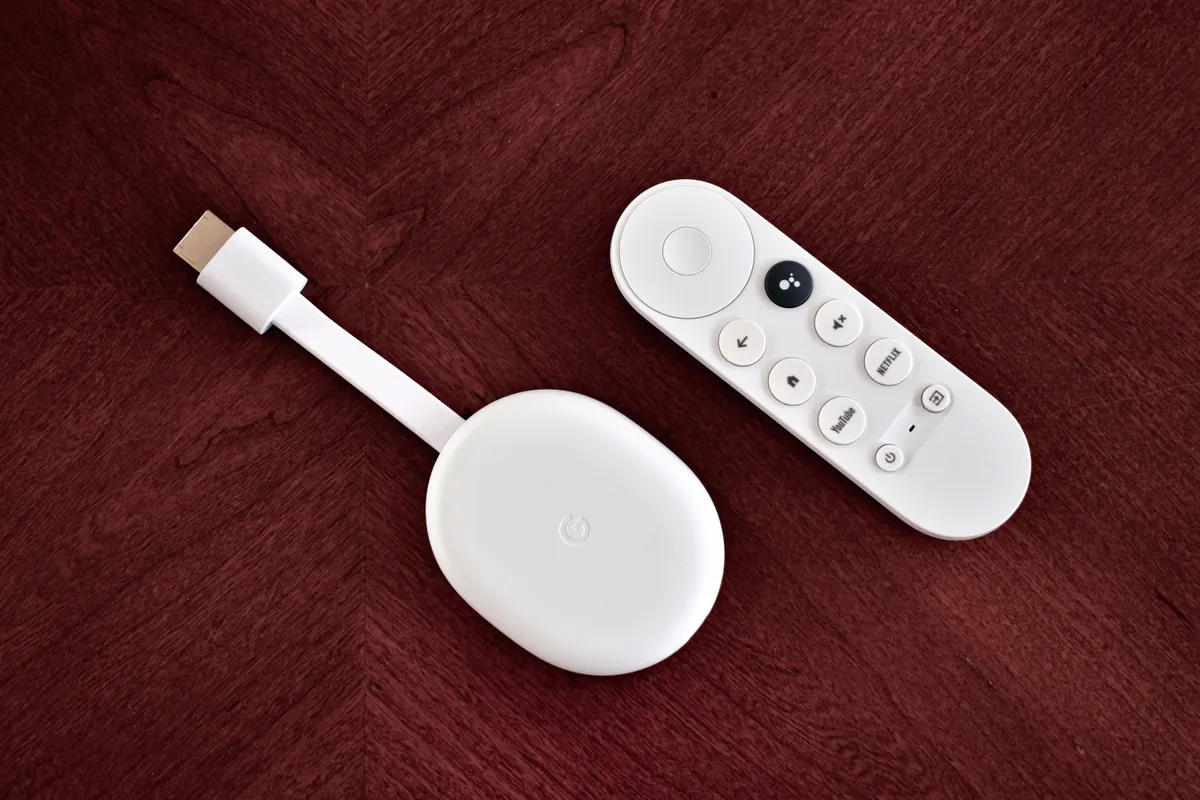
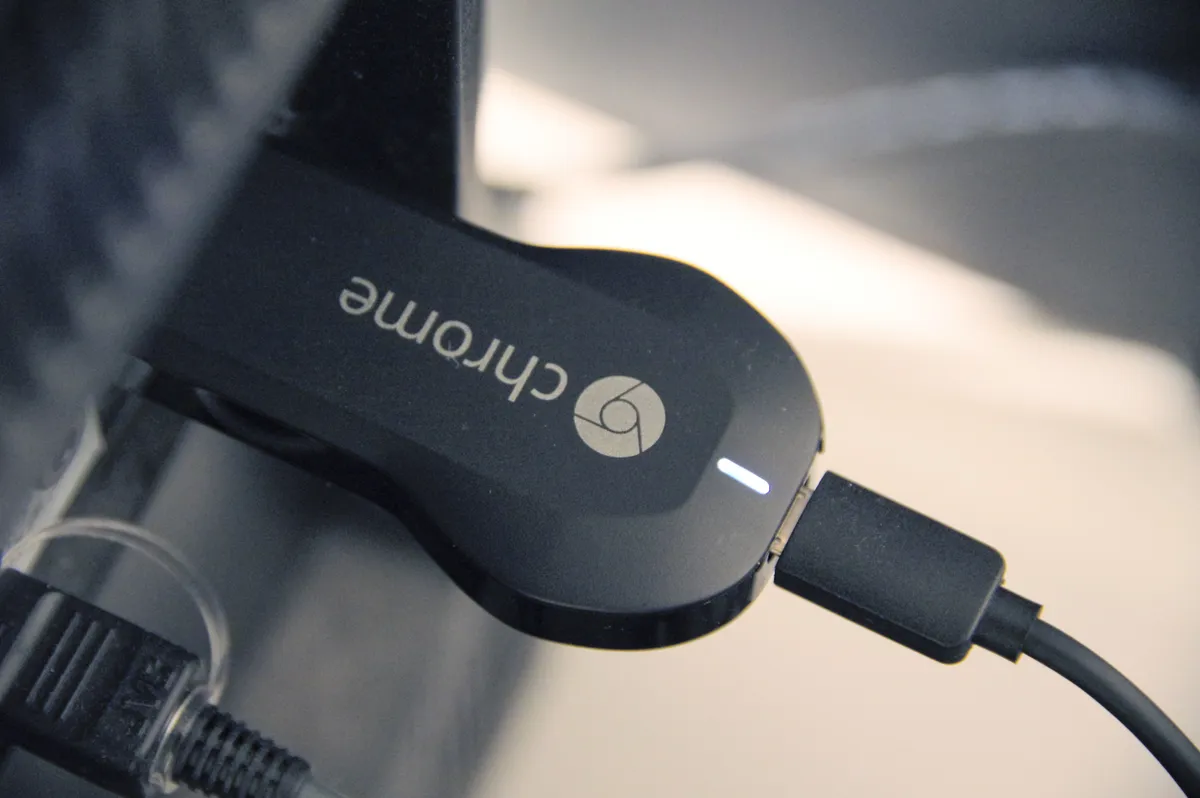
This is Google's replacement for the plain Chromecast dongles that used to lack any on-screen interface of their own; you cast to them from a phone and that was the whole experience. The 4K model here (in its "Snow" white colorway, though it also ships in Sunrise pink and Sky blue) has a real home screen, a real remote with buttons, and a full Google TV operating system underneath, which is Google's newer, more personalized skin on top of what used to be plain Android TV. That's the headline difference that matters for anyone comparing this to a Roku Streaming Stick 4K or to just using whatever smart TV OS came bundled with their television.
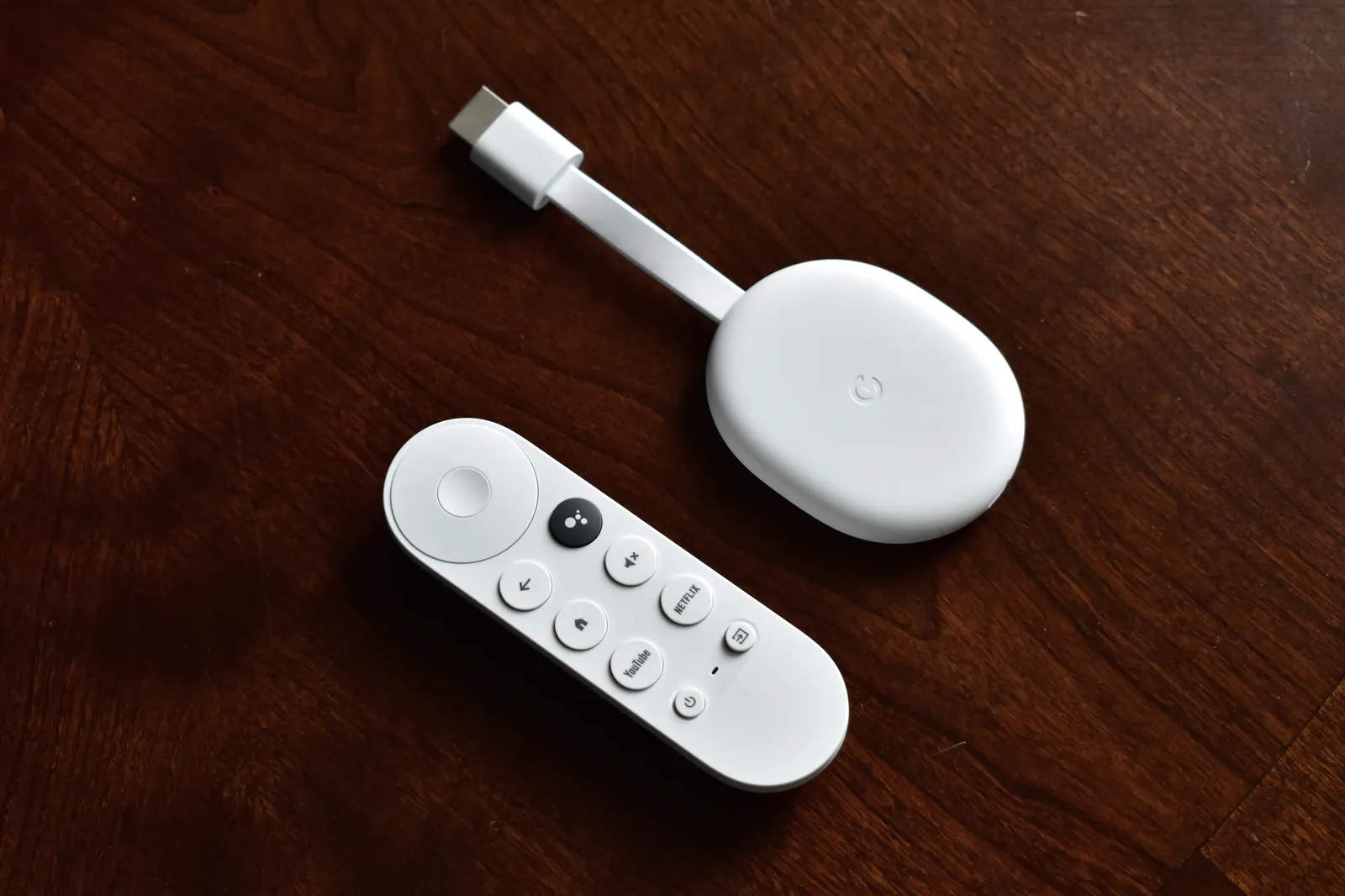
What's in the box and first impressions
The box contains the dongle itself, a short HDMI extender (useful if your TV's ports are recessed or crowded), a USB-C power cable, a wall adapter, and the remote with two AAA batteries already included. Setup took about eleven minutes on the living room TV, most of which was waiting for a firmware update to download and install before it would let me proceed past the welcome screen. Google TV wants you to sign in with a Google account during setup, and it strongly nudges you to also link a small handful of the big streaming services — Netflix, Prime Video, Disney+ — right there in the wizard so it can start populating the "For You" recommendation rows immediately.
The dongle plugs directly into an HDMI port but you'll almost always want to use the included extender cable, because the Chromecast body is thicker than a typical stick like Roku's and it collides with the plastic surround on more than one of the three TVs I tested it on. It draws power over USB-C, and while some newer TVs can power it directly from a USB-A port, Google explicitly recommends the wall adapter for full performance — I tried TV-USB power on the bedroom set and did notice slightly slower app launches, so the extra cable and outlet are worth the hassle.
The remote: mostly good, one real annoyance
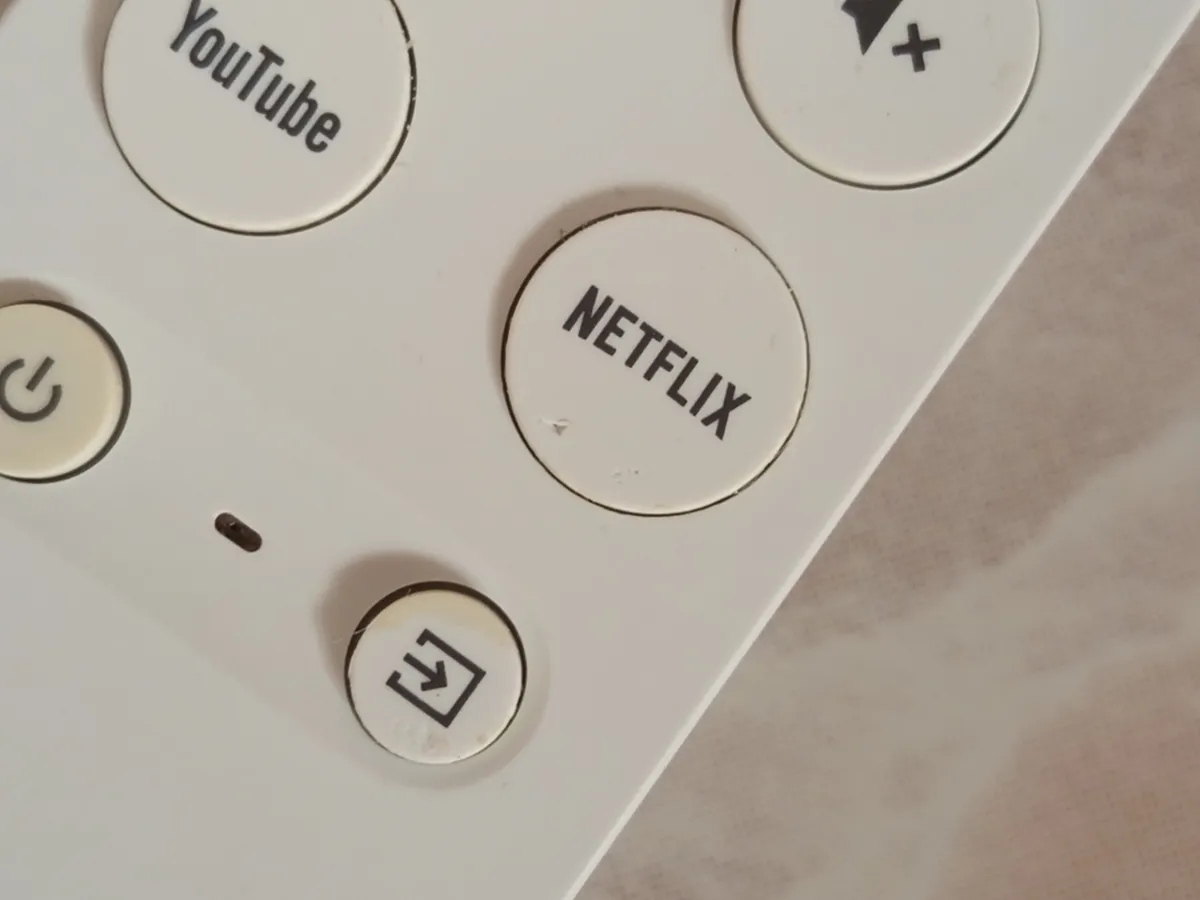
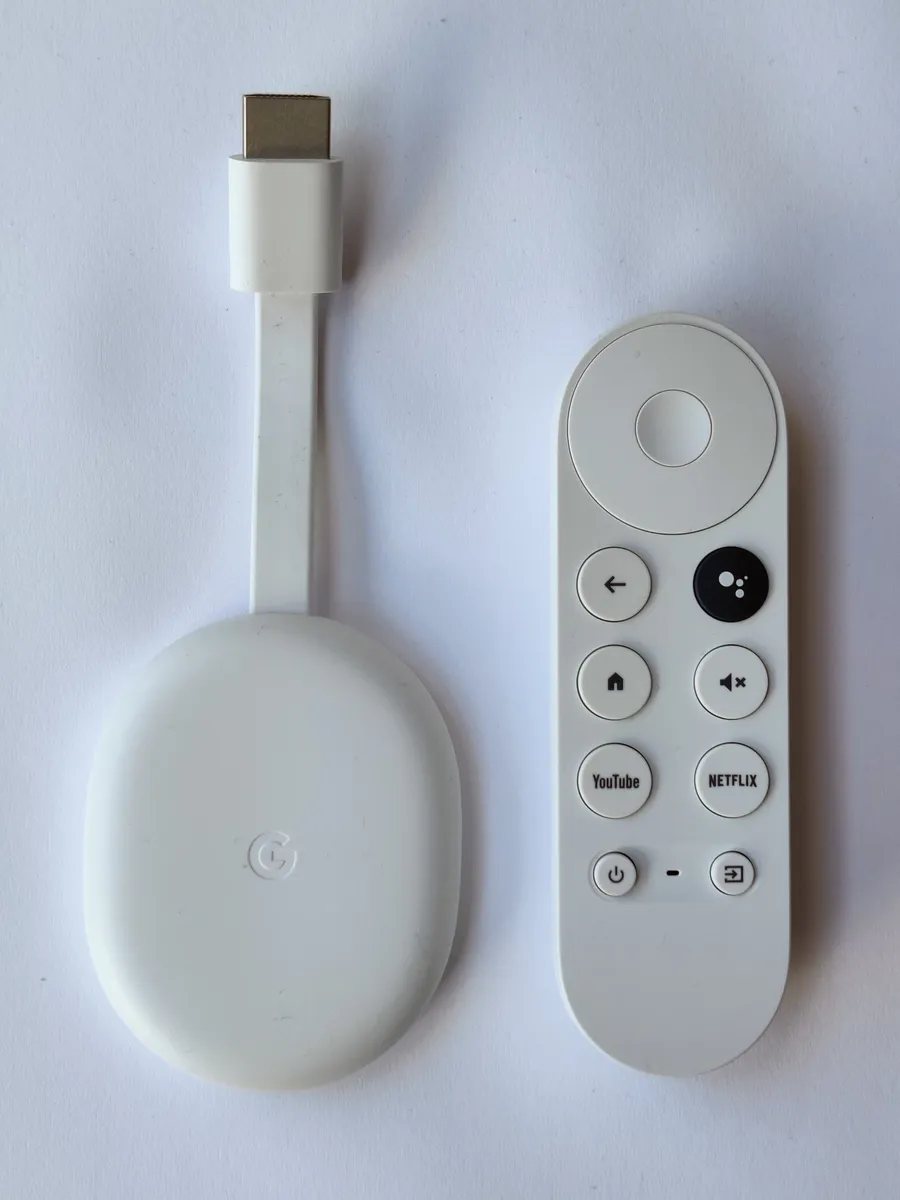
The bundled remote is a genuine highlight. It has a dedicated Google Assistant button, a mute button, volume and power buttons that control the TV itself via HDMI-CEC (or in the LG's case, a direct IR-blast style pairing during setup), and shortcut buttons for Netflix, YouTube, Disney+, and Google TV's own app. Voice search via the Assistant button is fast and accurate — asking for "that new miniseries with the guy from Barry" surfaced the right result more often than I expected. My only real complaint is that it takes two AAA batteries rather than being rechargeable, which feels like a step behind rivals in 2024; over six weeks of daily use on the living room unit, the remote ate through one set of batteries, which is about typical for this style of remote but still means keeping spares on hand.
Bluetooth pairing between the remote and the dongle has been reliable overall, but I did have one stretch of about four days where the living-room remote developed a half-second input lag — pressing a directional button and waiting for the on-screen cursor to catch up — that a full power cycle of the Chromecast (unplugging it for ten seconds) fixed. It hasn't recurred since, but it's the kind of small papercut that Roku's remotes, in my experience with a Streaming Stick 4K in the same house last year, don't really produce.
Daily use over six weeks: the home screen, search, and the ad problem
Google TV's whole pitch is that it's a content-first, app-agnostic home screen: instead of picking an app and then browsing inside it, you browse rows of shows and movies pulled from all your linked services, and tapping one deep-links you into the right app at the right title. In practice this works well for finding something to watch when you already sort of know what you want — searching "the bear" surfaced the show with clear per-episode "play on Hulu" buttons, and search results reliably included Prime Video, Netflix, Max, and Apple TV+ content in one unified list, which is genuinely more convenient than flipping between four separate apps' search bars.
Where it grates is the home screen's top banner and first two rows, which are dominated by promotional tiles — a Paramount+ show being pushed, a "try Google TV Kids Free Trial" banner, seasonal promotional rows for whatever streaming service paid for placement that month. Over six weeks I counted the promotional/ad-adjacent tiles taking up roughly a third of the visible screen real estate on a typical cold boot, before you scroll down to the actual "continue watching" row. It's not intrusive to the point of being unusable, but if you're coming from a plain dumb TV or an old Chromecast with no home screen at all, the shift to "streaming device as ad platform" is a real adjustment, and it's the single complaint about this device that came up unprompted when I had houseguests try it.
Picture quality: HDR, Dolby Vision, and real-world limits
On paper this supports 4K resolution up to 60fps, HDR10, HDR10+, Dolby Vision, and HLG. On my dad's LG OLED, Dolby Vision content from Netflix (tested with a few Dolby Vision-mastered originals) correctly triggered the TV's Dolby Vision picture mode, confirmed by the on-screen notification LG TVs show when the input signal changes format — that handshake worked every single time across about a dozen sessions. On the older Vizio in my living room, which only supports HDR10 and not Dolby Vision, the Chromecast correctly fell back to HDR10 rather than outputting a washed-out unsupported signal, which is exactly the right behavior and not something every budget streaming box gets right.
Audio passthrough is where I ran into the most friction: the device supports Dolby Atmos and Dolby Digital Plus passthrough over HDMI to a compatible soundbar or AVR, but getting a Vizio soundbar to correctly recognize the Atmos bitstream required manually forcing "Dolby Digital Plus" in the Chromecast's audio output settings rather than leaving it on "Auto," which by default was sending a lower-bitrate stereo-down mixed signal. This is a one-time settings dig, not a persistent problem, but it's not obvious, and Google's on-device help doesn't surface it — I found the fix through a forum thread, not the device itself.
App stability, free content, and the occasional crash
Across six weeks of essentially daily use spanning Netflix, Prime Video, Disney+, Max, YouTube, Plex (pointed at a home NAS), and the ad-supported Google TV free channels, the vast majority of sessions were completely uneventful. But I did experience app-level crashes three separate times — twice in the Max app (a hard freeze requiring a return-to-home button press, followed by relaunching the app) and once where the entire Google TV home screen itself froze on a dark screen with only the clock overlay responsive, requiring a full unplug-and-replug to recover. None of these were data-loss events, just annoying five-minute interruptions, but three hard crashes in six weeks of normal use is not nothing, and it's more than I experienced with the same TV's onboard smart-TV apps handling the same content over a comparable stretch last year.
On the upside, the built-in Google TV free channels — essentially a Pluto TV/Tubi-style ad-supported linear and on-demand tier baked directly into the home screen — turned out to be a pleasant surprise. There's a genuinely deep library of licensed movies and full TV show seasons available at no cost with ads, and it's integrated well enough into search and the home screen that houseguests who didn't know it existed found and used it without prompting.
Storage, performance, and casting from a phone
The device has 8GB of onboard storage, of which a little under 5GB is usable after the OS and pre-installed apps. That's enough for a solid lineup of streaming apps plus a few games, but if you're the type who sideloads a lot of Android TV apps or installs several games from the Play Store, you'll bump into storage warnings faster than on a device with more headroom — I hit a "storage almost full" notification once after installing four extra apps beyond the defaults. App launch times are quick relative to the price point: cold-launching Netflix from the home screen averaged around 4-5 seconds in my informal stopwatch tests, and switching between already-open-in-background apps was closer to 1-2 seconds.
The Chromecast heritage is still very much present — you can cast content from a phone or laptop Chrome tab to the device the old-fashioned way, and it's just as reliable as the classic Chromecast dongles were, which matters if half your household still prefers casting a YouTube video from their phone over navigating the TV-based interface with a remote.
Comparison to a Roku Streaming Stick 4K and to a smart TV's built-in OS
Having lived with a Roku Streaming Stick 4K in this same house for about a year previously, the contrast is informative. Roku's interface is flatter, more app-grid-first, and noticeably lighter on promotional clutter, and its remote (in the Roku Ultra tier at least) offers a rechargeable option — but Roku's universal search and recommendations are less sophisticated, and its voice assistant is considerably weaker than Google Assistant for conversational queries. If your priority is a fast, no-fuss grid of apps with minimal editorializing, Roku still wins that specific comparison. If you want Google Assistant, tighter Android/Google ecosystem integration (casting, Google Photos screensavers, Nest camera feeds on-screen), and don't mind a busier home screen, the Chromecast pulls ahead.
Against just using a smart TV's built-in OS — I compared directly against the Vizio's own SmartCast interface — the case for a dedicated streaming stick remains strong even in 2024. The Vizio's onboard OS is noticeably slower to navigate, its app selection lags behind (no native Max app at all as of this testing), and its search doesn't unify results across services the way Google TV's does. Built-in TV operating systems also stop receiving meaningful updates faster than an external streaming device does; my in-laws' six-year-old "smart" TV can no longer run a functioning Netflix app at all, which is precisely the failure mode a $49.99 external dongle sidesteps, since it can simply be replaced on its own schedule independent of the television.
Who should buy this
This is an easy recommendation for anyone already inside the Google ecosystem — Android phone, Google Assistant smart speakers, Nest cameras — since the cross-device integration (casting, Assistant routines, camera feeds on screen) is meaningfully better here than on Roku or Fire TV. It's also a strong pick for anyone whose smart TV's built-in apps have started falling behind, which is an extremely common failure mode for TVs older than four or five years. It's a weaker pick if the ad-heavy, promotion-laden home screen is a dealbreaker for you, or if you specifically want a rechargeable remote out of the box — in those cases a Roku Streaming Stick 4K or Roku Ultra is worth cross-shopping instead.
After six weeks split across three televisions, the Chromecast with Google TV (4K) earns a solid recommendation with real, specific caveats rather than an unqualified one. The universal search, Assistant integration, and HDR/Dolby Vision handling are genuinely excellent for the price, and the free ad-supported content library is a legitimately nice bonus most buyers don't expect. But the promotional clutter on the home screen, the occasional app-level crash requiring a restart, and the AA-battery remote are real, lived-with downsides, not nitpicks invented to seem balanced. At its regular $49.99 price — and it frequently dips to $39.99 or lower during sales — it remains one of the best value entry points into 4K HDR streaming, provided you go in with realistic expectations about the ads and the occasional hiccup.
Other products we tested

Ecobee Smart Thermostat Premium Review: Two Months of Real HVAC Testing
We installed the Ecobee Smart Thermostat Premium without a C-wire, tracked its temperature accuracy against a separate thermometer, and measured real energy savings over two months of daily HVAC use.

Bose SoundLink Flex Review: Six Weeks of Hiking, Kayaking, and Beach Days
Six weeks of camping, kayaking, and beach trips show the Bose SoundLink Flex's IP67 rating and PositionIQ orientation sensing are genuinely useful, with honest limits on bass and max volume.

Coros Pace 3 Review: Six Weeks Testing the GPS Watch That Barely Needs Charging
A dual-frequency GPS running watch that trades AMOLED shine for weeks of battery life at a fraction of the price of flagship rivals.