
Robot Vacuum Buying Guide: What Actually Matters Before You Buy
A practical, honest breakdown of navigation tech, self-emptying bases, real coverage area, and pet-hair handling to help you buy the right robot vacuum for your actual home instead of the marketing pitch.
Robot vacuums have been mainstream for long enough that the marketing has gotten ahead of the actual engineering. Every box promises "smart mapping," "powerful suction," and "whole-home cleaning," but those phrases mean wildly different things depending on which sensor package and motor are actually inside. If you've ever bought a robot vacuum based on a glowing five-star average and then watched it get stuck under a dining chair for the third time in a week, you already know the gap between spec-sheet promises and lived-in-home reality.
This guide is for anyone shopping for a first robot vacuum, or upgrading from an older bump-and-go model and trying to figure out whether a $300 upgrade is worth it or whether a $1,200 flagship with a self-emptying base is overkill for a one-bedroom apartment. We're not scoring a single product here — we're walking through the decision points that actually separate a robot vacuum you'll use every day from one that ends up in a closet after month two.
Quick answer: what actually matters
If you only read one section, read this one. Across price tiers, the things that determine whether a robot vacuum earns a permanent spot in your cleaning routine are, in rough order of importance:
- Navigation quality — lidar and structured-light mapping robots finish rooms faster and re-map correctly after furniture moves; camera-only and bump-and-go units work but re-clean inefficiently and occasionally miss whole rooms.
- Real-world coverage, not the marketing square-footage number, which is usually measured in a near-empty warehouse floor, not a home with couches, rugs, and cable clutter.
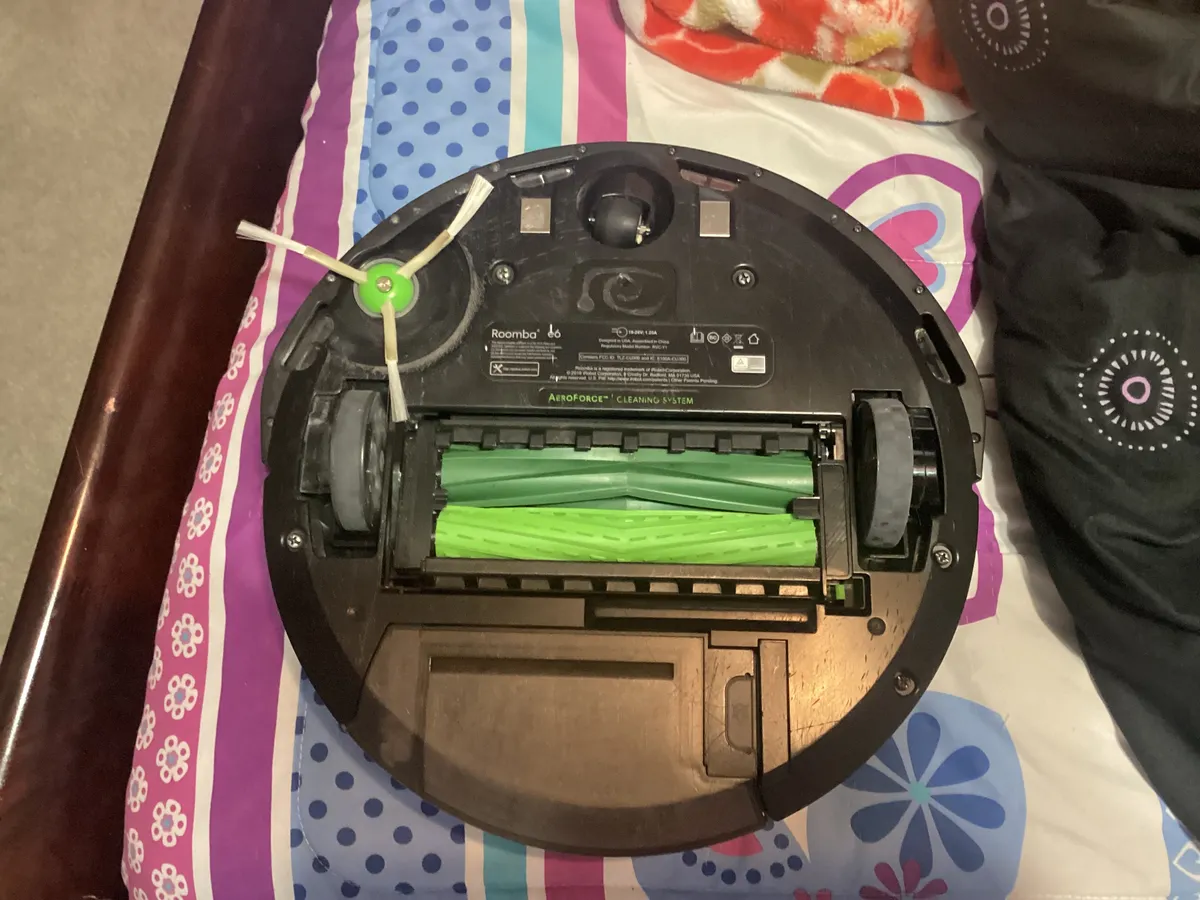
- Brush design for your flooring and pets — rubber/silicone rollers resist hair tangles far better than bristle brushes, and this matters more than suction wattage for most homes.
- Whether a self-emptying base fits your actual habits — genuinely useful for large, hairy-pet homes; a $200-300 premium that's wasted on a studio apartment with no pets.
- App reliability, since even good hardware is frustrating if the mapping app crashes, mis-labels rooms, or requires a cloud round-trip for basic commands.
None of this means you need the most expensive model on the shelf. It means you should match the feature set to your specific home, not to the checkout page's default upsell.
Navigation and mapping: lidar vs. camera vs. bump-and-go
Every robot vacuum uses one of three basic navigation strategies, and the difference shows up immediately in how a robot behaves in your home, not just on a spec sheet.
Lidar (laser-based) navigation spins a small laser turret that measures distances to walls and furniture, building a precise map in real time. This is the gold standard for larger or more cluttered homes: lidar robots clean in efficient back-and-forth rows instead of random bouncing, handle low light and darkness without issue (cameras need ambient light), and generally re-orient correctly if you pick the robot up mid-clean and move it. The tradeoff is a small raised turret on top of the robot, which can make it slightly taller and occasionally unable to fit under very low furniture that a flatter camera-based robot could clear.
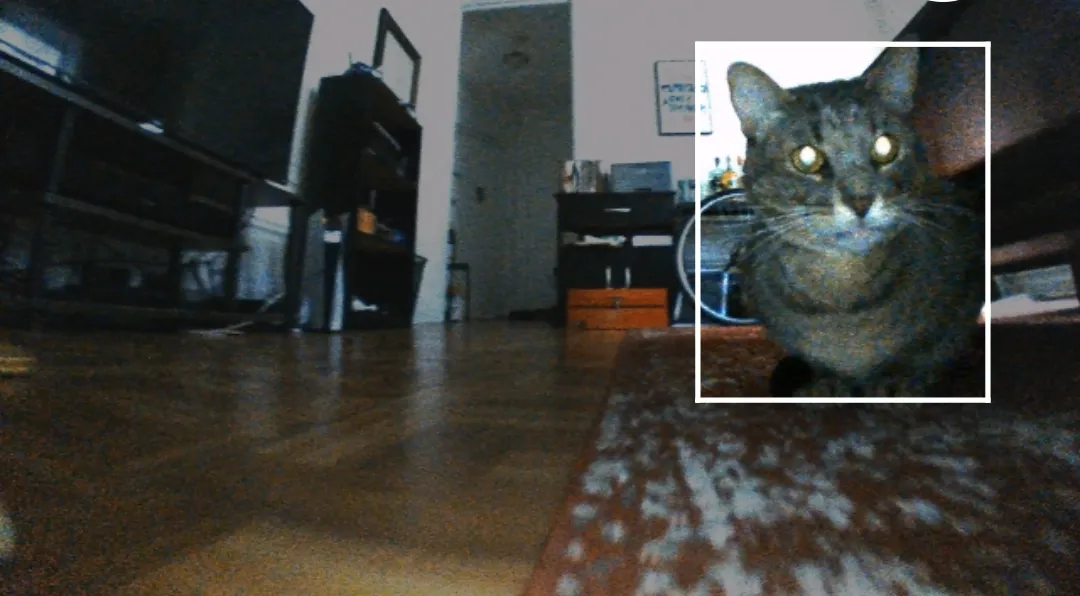
Camera-based (vSLAM) navigation uses an upward- or forward-facing camera plus visual landmarks to build a map. It works well in consistently lit rooms and allows a lower-profile robot design, but it struggles in the dark, in visually repetitive rooms (identical white walls, no furniture landmarks), and can lose its place if lighting changes dramatically between daytime and night cleans. Some flagship camera robots pair this with object-recognition AI that can identify and avoid cords, shoes, and pet waste — a real, practical upgrade if you have pets or kids, regardless of which navigation style the robot uses underneath.
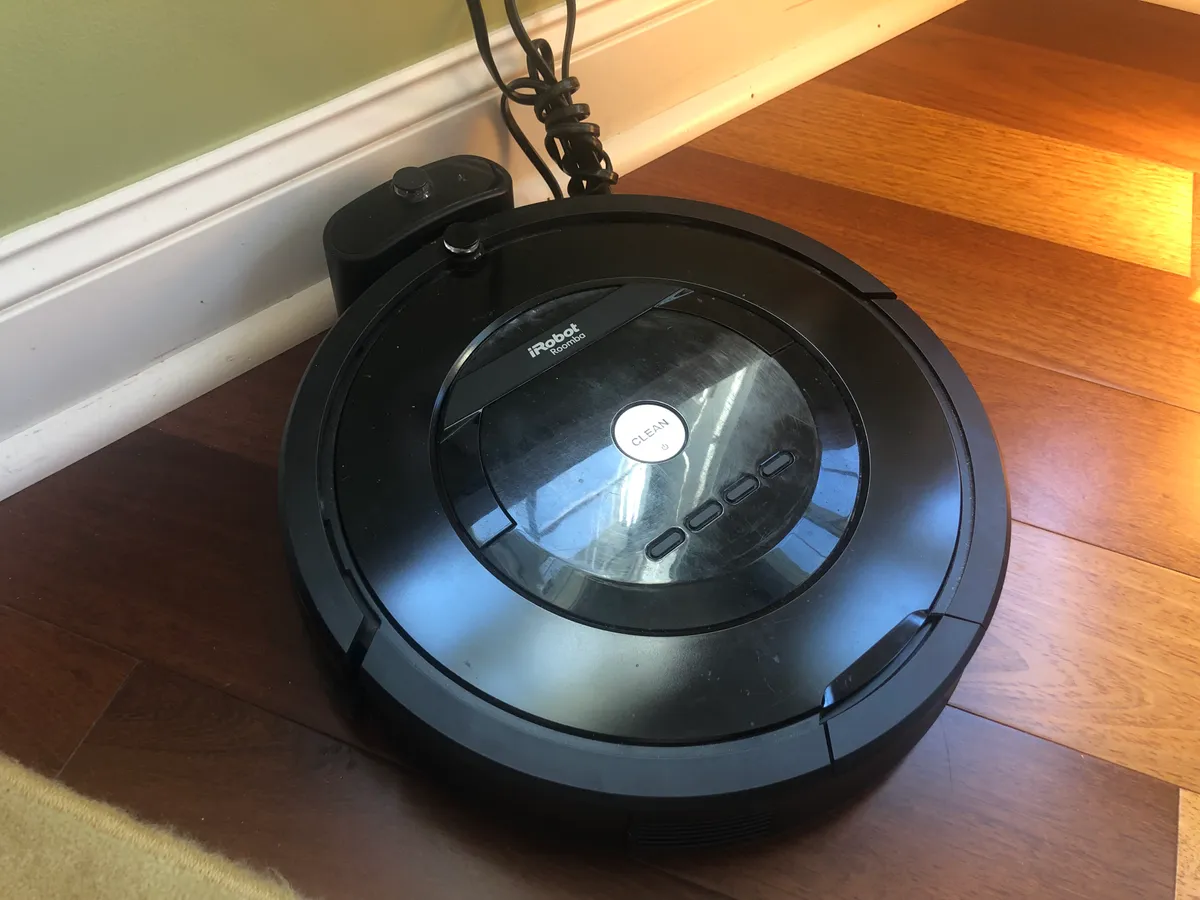
Bump-and-go (random/reactive) navigation has no persistent map at all. The robot drives until it hits something, turns, and tries again, relying on statistical coverage over a longer cleaning cycle rather than a planned route. It sounds primitive, and it is less efficient — a bump-and-go robot will take noticeably longer to cover the same floor area and will re-clean some spots several times while missing others — but for a small, simple, mostly-open floor plan (a studio, a small one-bedroom with few obstacles), the actual cleaning outcome after a full cycle can be surprisingly close to a mapping robot's, just slower and noisier about it.
Self-emptying bases: genuinely useful, or an expensive convenience tax?
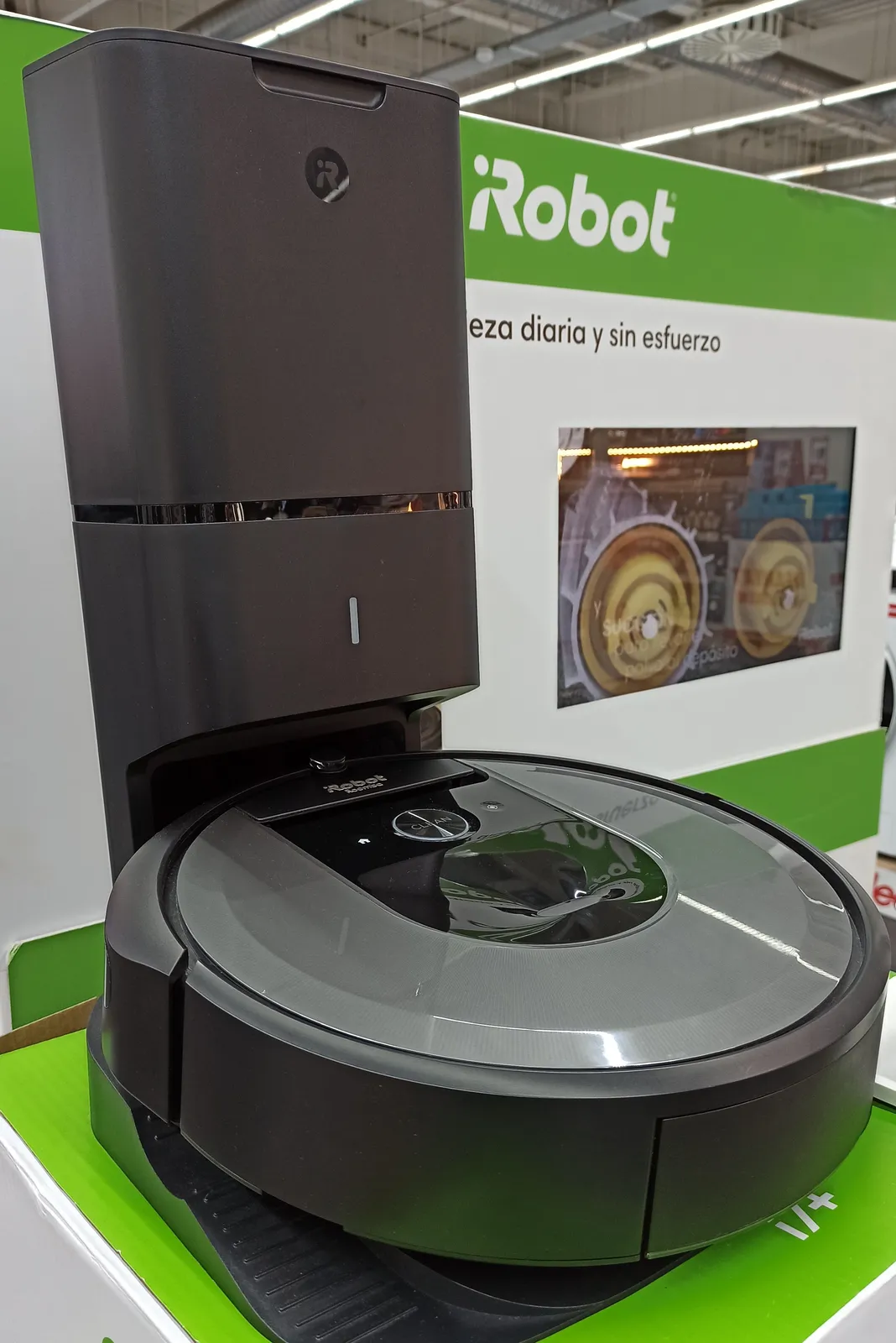
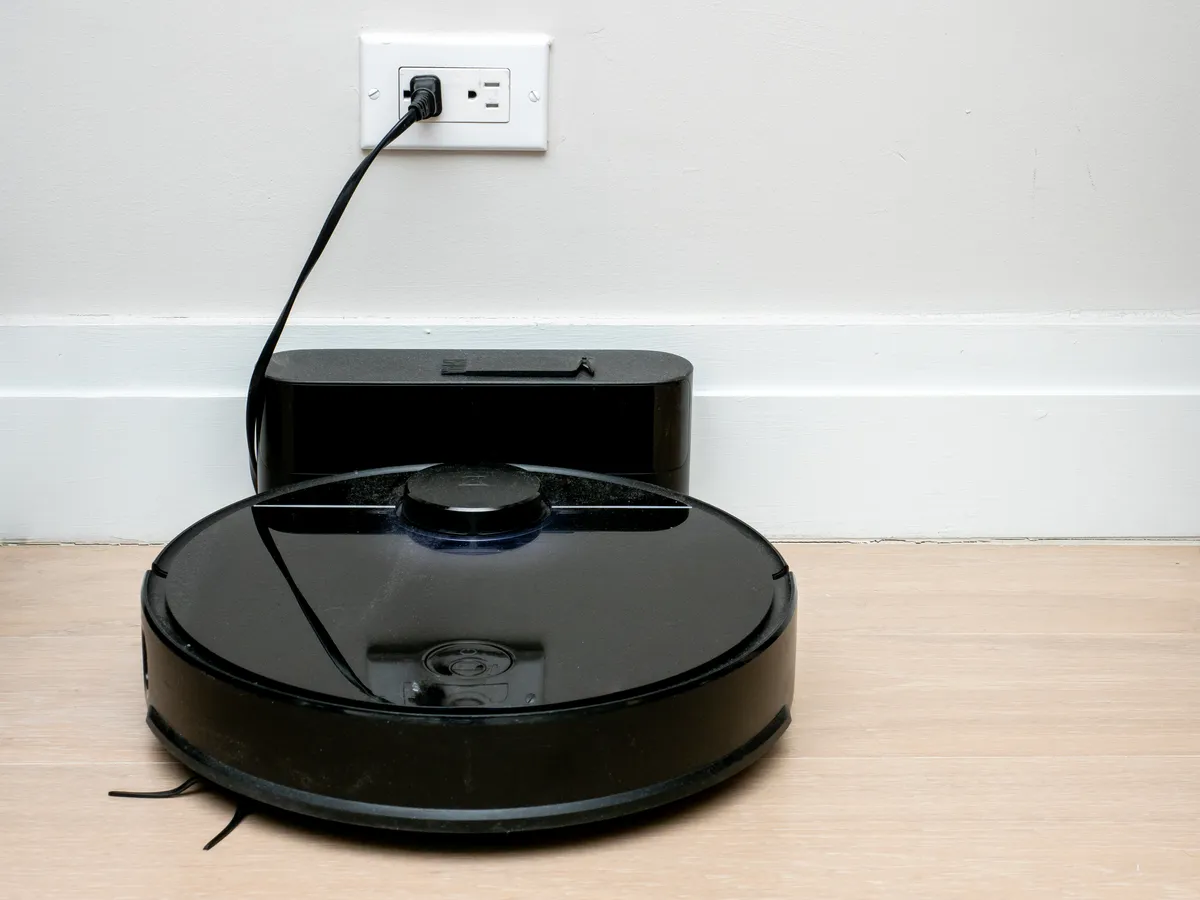
A self-emptying base does exactly one thing: it sucks the contents of the robot's small internal dustbin into a much larger bag or bin, usually after every cleaning cycle, so you empty the base itself only every few weeks instead of the robot every single day. That's the entire feature. Whether it's worth the money depends almost entirely on two variables: how much debris your home generates, and how much you actually mind emptying a small bin regularly.
Where a self-emptying base earns its premium: households with shedding pets (the internal bin on most robots fills with pet hair in a single medium-sized room, let alone a whole floor), larger homes where one cleaning cycle covers multiple rooms before you'd otherwise have to intervene, and anyone who wants to set up multi-week "away" schedules without checking on the robot.
Where it's a waste of money: small apartments with no pets, where the internal bin easily holds several cleaning cycles' worth of dust before it needs emptying anyway. The base itself also adds a large plastic tower to your floor plan (they're rarely small), needs proprietary bags that cost money on an ongoing basis, and is one more thing that can develop a clog or a sensor fault. If you're on the fence, actually check how full your current vacuum's bin gets after one cleaning pass of your space — that's a much better predictor than the marketing copy.
Real coverage area vs. marketing claims
Manufacturer coverage numbers ("cleans up to 3,000 sq ft on a single charge") are usually measured on an open, obstacle-free test floor with no furniture, no rugs, and no cords — nothing like a lived-in home. In practice, three things eat into that number fast:
- Furniture density. Every chair leg, coffee table base, and low shelf forces extra maneuvering, and mapping robots spend real battery time re-routing around clutter that a warehouse test floor doesn't have.
- Rugs and thick carpet. Suction motors work harder — and batteries drain faster — on medium-pile carpet than on hardwood or low-pile rugs, sometimes cutting real runtime by a third or more.
- Multi-room, multi-floor layouts. Doorway thresholds, closed doors, and stairs (robot vacuums cannot climb stairs and most can't be trusted not to fall down them without a virtual barrier or physical sensor) all break up a "single charge" cleaning run into several partial passes.
A practical rule of thumb: take the manufacturer's stated square footage and discount it by 30-40% for a normally furnished home with a mix of flooring types. If a robot claims 2,000 sq ft, plan for roughly 1,200-1,400 sq ft of realistic single-charge coverage before it needs to return to base and resume later.
Pet hair and tangle handling
If you have shedding pets, brush design matters more than almost any other spec on the page. Older and cheaper robots often use a bristle brush roller, which is effective at agitating dirt out of carpet fibers but tangles badly with long hair — you'll be cutting hair out of the roller with scissors every week or two. Rubber or silicone dual-roller designs (no exposed bristles) shed hair far more easily and are worth prioritizing over a small suction-wattage bump if pet hair is your primary problem.
Beyond the roller itself, check for a tangle-resistant extractor design specifically called out in the product description, and look at real owner reviews (not the manufacturer's marketing page) for mentions of hair wrapping around the brush's end caps or the robot's side wheels — a second common tangle point that rubber rollers don't fully solve. Long human hair behaves similarly to pet hair here, so the same advice applies to hair-shedding households without pets.
App and mapping quirks nobody puts on the box
Almost every current robot vacuum pairs with a smartphone app for scheduling, room selection, and no-go zones. In practice, the app experience varies a lot more than the hardware review scores suggest:
- Room labels drift. After furniture gets rearranged or a rug moves, mapping apps sometimes split one room into two zones or merge two rooms into one, and you'll need to manually re-edit the map — expect to do this every few months, not once at setup.
- Cloud dependency. Many apps route commands through the manufacturer's cloud servers rather than talking to the robot directly over local Wi-Fi, which means an internet outage — even if your home network and the robot are both working fine locally — can stop you from starting a clean from the app.
- No-go zones aren't always precise. Virtual boundaries drawn on the in-app map can be off by several inches from where you intended, especially after a re-map, so double-check placement near cords, pet bowls, or delicate furniture rather than trusting it blindly the first time.
- Firmware updates change behavior. It's common for an update to alter cleaning patterns, add or remove features, or temporarily introduce new bugs — read recent user reviews (posted after a firmware update, not just at launch) if a specific behavior matters to you.
The most common buying mistake: shopping by suction watts alone
Suction power (often listed in Pascals or "AirWatts") is the single most marketed spec, and it is one of the least reliable predictors of real cleaning performance on its own. Two robots with identical suction ratings can perform very differently depending on brush roller design, how well the vacuum path seals against the floor, and how efficiently the navigation system covers the room in the first place — a robot with modest suction that methodically covers every square foot will often outperform a high-suction robot that misses a third of the room due to poor navigation.
Suction power matters most for pulling debris out of medium-to-thick carpet pile; on hardwood, tile, and low-pile rugs, brush design and edge-cleaning behavior (how close the robot gets to baseboards and corners) matter more day to day. If a listing leads entirely with a big suction number and says little about navigation type or brush design, treat that as a signal to look elsewhere for the details that actually predict how the robot will behave in your home.
Decision framework: what to actually spend money on
Rather than chasing an overall "best" robot vacuum, work through these questions in order — each one either rules out a whole price tier or justifies spending more:
- Do you have stairs, thick rugs and thin rugs mixed, or a lot of furniture? If yes, prioritize lidar or high-quality camera-based navigation over a bump-and-go model — the efficiency gap widens fast in cluttered, multi-surface homes.
- Do you have shedding pets or long hair in the household? If yes, prioritize a rubber/silicone roller design over raw suction wattage, and seriously consider a self-emptying base.
- Is your home under roughly 800 sq ft with an open layout and no pets? A well-reviewed bump-and-go or basic camera-navigation model in the budget tier will likely satisfy you, and the money saved is real money, not a compromise you'll regret.
- Do you want to run cleans while away for a week or more? A self-emptying base stops being a convenience and becomes close to a requirement, since most internal bins fill well before a week of unattended cleaning is up.
- Does your household rely heavily on smart-home voice control or precise scheduling? Read recent (not launch-day) app reviews for the specific model — this is the area most likely to disappoint regardless of hardware price.
It's also worth being honest about where robot vacuums simply aren't the right tool. They don't replace a corded or cordless stick vacuum for stairs, upholstery, or car interiors — if stair-heavy layouts and quick spot-cleaning are your main pain point, a cordless stick vacuum may serve you better as a primary tool, with a robot as a supplement for main-floor upkeep rather than a full replacement. Homes with a lot of loose cords, low-hanging tablecloths, or delicate objects at floor level also need some setup work (cord management, no-go zones) before any robot vacuum — cheap or expensive — will run unattended without getting tangled or knocking something over.
Closing takeaway
The right robot vacuum is the one matched to your specific floor plan, pets, and habits — not the one with the biggest suction number or the longest feature list on the box. Start from your actual home: how cluttered it is, whether pets shed, how large it is, and how hands-off you want the routine to be. Those answers point you to a navigation type, a brush design, and a base — and only then to a specific model and price tier.
If you're specifically weighing a mapping-robot flagship, our hands-on iRobot Roomba j7+ review covers how its camera-based obstacle avoidance and self-emptying base perform in a real multi-pet home over several weeks of daily use. And if litter-tracking rather than dust and hair is your bigger mess problem, our Litter-Robot 4 review looks at a different, related category of self-cleaning home automation worth considering alongside a robot vacuum rather than instead of one.
More coupon shopping advice

Home Security Camera Buying Guide: Local vs. Cloud Storage
A practical, balanced buying guide to home security cameras that weighs local storage against cloud subscriptions, wired versus battery power, camera placement, night vision, smart detection accuracy, and smart home integration.

Beginner Mirrorless Camera Buying Guide
A practical, honest walkthrough of what actually matters when buying your first mirrorless camera, from sensor size and lens mounts to autofocus, video specs, and the real total cost of a beginner-friendly system.

Air Purifier Buying Guide: CADR, ACH, and Filter Costs Explained
A practical walkthrough of the numbers that actually matter when buying an air purifier — CADR and ACH for sizing, true HEPA versus marketing terms, real three-year filter costs, realistic noise levels, and when a purifier won't help at all.